Rentibly Agreements — Overview
6:59 · 11 chapters · Watch on YouTube
Chapters
Read the transcript
Hey, and welcome to this overview of Rentibly Agreements! I'll show you where every contract your company signs lives, build a template from scratch — parties, merge fields and signature fields — and send it out for signature. Here's everything we'll cover. Every chapter's start time is right here, and in your player — so if you're after something specific, jump straight to it. Let's dive in.
So — this is Agreements: the documents your company signs. Management agreements with your owners, contracts with your vendors, NDAs, consent forms, bank-change letters. And see this link? A guest's rental agreement is a different document — that one lives in Property Settings. The tabs show where each one stands. Needs you — waiting on your signature. Out for signature — waiting on theirs. In force, and Closed. Right now, all twenty-three are signed and in force. Search by title, reference, property or contact — ArcticFlow, say. Or narrow it down by category: management agreements, vendor contracts, NDAs, consents.
Open one, and you get the whole picture: how many parties have signed — one of one — the signing window, and how long it's in force. This one's open-ended. The signed document is kept right here — visible only to your team — and Download PDF gives you the executed copy, with its certificate of completion. Below that, every party: who they are, their role, and exactly when they signed. And the audit log keeps every event with its time — right down to the executed copy going out — so you can always show exactly how a document was signed. New to agreements? The Guide walks you through all of it — building a template, placing signature fields, signing in order, and who gets notified when.
Every agreement starts from a template. Templates holds your reusable documents — here, a vendor service agreement and a property management agreement — with who signs each one, whether it's mutual, and whether signers need a one-time code. Categories keep them organised — management agreements, vendor contracts, NDAs, consent forms — and you can add your own, each with a colour. Open one, and you'll see how a template is built. On the left: its name and category, and the signing parties — here, the owner signs from a link, and the operator — someone on your team — counter-signs inside Rentibly. On the right, the document itself, with merge fields like the owner's name highlighted. Preview shows it with sample values filled in, exactly as a signer will read it.
Now let's build one from scratch: an owner onboarding agreement — the document every new owner signs before their first booking. Add Template — a name, a short description, and a category, so it's easy to find later. Then who signs it. The first party is the owner — they sign from a link, on their phone or laptop. I'll add a second: someone from our side, who counter-signs inside Rentibly once the owner's done.
Now the document. The editor works like any word processor — headings, bold, lists, tables, images, even page breaks for the PDF. A heading, then the opening line — and wherever a detail belongs, you drop in a merge field instead of typing it. Today's date goes here, so every agreement is dated the day it's sent. And next, the company's name… …the owner's full name, and the property. The picker has every field Rentibly knows — the contact, the property, quotes, bookings, payments and your company — and each one fills itself in when the agreement goes out. So the same template works for every owner, and nobody retypes a name or an address.
Some details change for every owner — like the management fee. A custom field handles that: you fill it in when you send, and it drops straight into the text. Last, where each person signs. Insert field puts the owner's signature and the date right where I want them — and the same for our signatory. Any party without a field gets a signature block added at the end automatically.
Signing security: a one-time code before anyone signs, and a signing window — thirty days by default. Then Preview — the finished document with sample values, and the signature lines exactly where we put them. Create template — and it's ready to use, any time you need it.
Now let's send it. Request Signature — and there's our new template, ready to pick. Parties: the owner is Mia Okafor — the email and phone come straight from the contact record — and our signatory defaults to me. Details: which of Mia's properties this covers — Northshore 11A — the management fee for this owner, twenty percent, how long Mia has to sign, and how long the agreement runs. Anything the template still needs, Rentibly asks for right here — so nothing goes out half-filled. Preview: the finished document — Mia's name, our company, the property and the fee, all merged in, with the signature boxes exactly where we placed them.
And Send: WhatsApp, email, or both. Each signer gets their own secure link, in order — Mia first, then us — and the signed PDF, with its certificate, comes back when everyone's done. I'll save this one as a draft for now. There it is, under Needs you — a draft, waiting for you to send it whenever you're ready. And that's Agreements: build the template once, and every contract after it takes a minute.
Thanks so much for watching! If you're already on Rentibly, open Agreements, then Templates, and build your first one — every contract after it takes a minute. And if you're not on Rentibly yet, book a demo call, and we'll show you all of this, live.
Where every contract your company signs lives — then build an agreement template from scratch with signing parties, merge fields, custom and signature fields, and send it for signature. Shown live on a real Rentibly workspace.
Up next
 4:51
4:51Overview
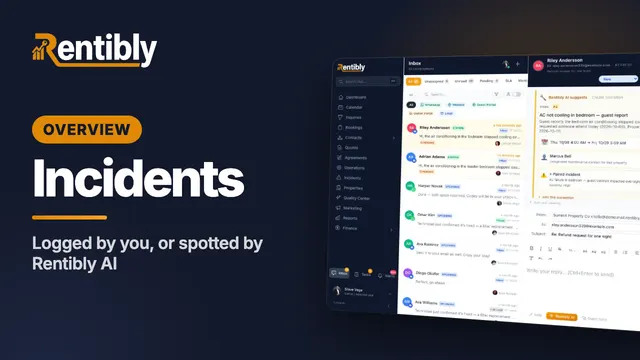
Incidents
Log an incident yourself, watch Rentibly AI spot one in a guest's message and set up the repair job, then work it all the way to closed — notes, compensation, resolve and close. Shown live on a real Rentibly workspace.
 3:47
3:47Overview
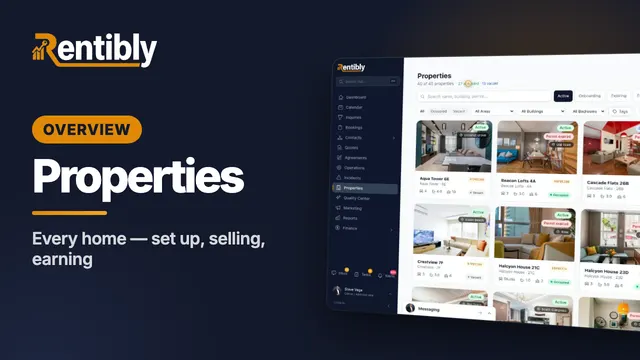
Properties
Your whole portfolio at a glance — then inside one home: its calendar, rates and booking rules, fees, rooms, owners and channels, what guests see, and how it's earning. Shown live on a real Rentibly workspace.
 7:24
7:24Overview
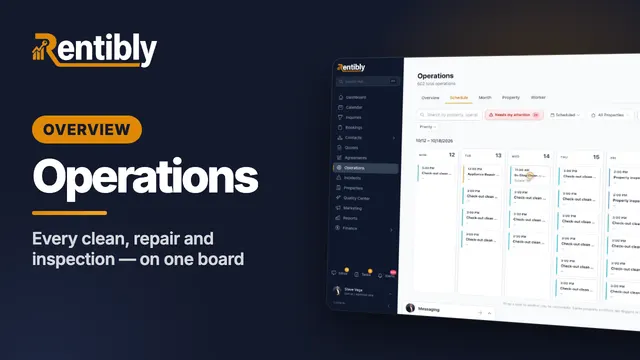
Operations
Every clean, repair and inspection on one board: the review queue and filters, creating a job and sending it to a cleaning company, the job up close, dragging it to another day, approvals, bulk actions, automations and vendor price lists. Shown live on a real Rentibly workspace.
Count your subscriptions. Then count ours.
A 30-minute demo on your numbers — every tool you pay for today, mapped to its native Rentibly module.
Book a demo