Your first day in Rentibly — Rentibly How-to
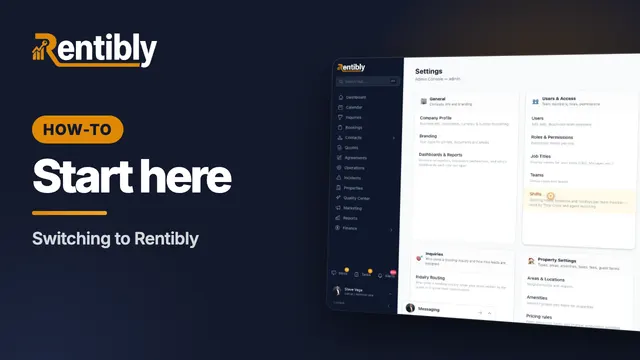
How-to: Start Here · Part 1 of 2 · 2:36 · 8 chapters · Watch on YouTube
Chapters
Read the transcript
Hey, and welcome to Rentibly. Let's take a first look around — the five places you'll use every single day. Here's what we'll cover — the chapter times are right here, and in your player. Let's get started.
Welcome aboard. This is the Command Center — where every day starts. Across the top, what needs action right now. Below it, how the business is doing: revenue, bookings, what's been collected, and how full your homes are.
The Calendar shows every home and every stay on one timeline, whichever channel it came from. Hover any stay for the guest, the dates and the balance. Drag across empty nights to block dates or start a quote, and scroll ahead to see what's coming up next month.
Every message from guests and owners lands in one Inbox — WhatsApp, email, your website chat, and the portals. Here's Adrian, a returning guest, asking whether Beacon Lofts is free for four nights from November the twenty-third.
Bookings is every stay, with what's been paid and what's still owed. Open one, and it's all here: the guest, the home, the dates, the money — with tabs for payments, documents, and the owner's share.
And whenever you have a question, ask Rentibly AI — it's in the corner of every screen. Let's answer Adrian: is Beacon Lofts 4A free for four nights from November the twenty-third? It checks the calendar, and prices the stay. It's working from your live data — the same calendar and rates your guests book against. Yes — free from the twenty-third to the twenty-seventh, priced line by line: thirty-nine hundred and eight dollars for two guests, plus the refundable deposit. And it offers to set up the inquiry and draft Adrian's quote.
That's your first day: the Command Center, the calendar, the inbox, your bookings, and Rentibly AI. Every part of Rentibly has its own short how-to film — set up your homes, your pricing, your owners — whenever you're ready.
Thanks so much for watching! If you're new to Rentibly, start on the Command Center, and pick the how-to film for whatever you set up next. And if you're not on Rentibly yet, book a demo call, and we'll show you all of this, live.
A first look around: the Command Center, the calendar, the inbox, a booking, and asking Rentibly AI a real question. Shown live on a real Rentibly workspace.
Count your subscriptions. Then count ours.
A 30-minute demo on your numbers — every tool you pay for today, mapped to its native Rentibly module.
Book a demo