Rentibly Connect — Overview
7:07 · 17 chapters · Watch on YouTube
Chapters
Read the transcript
Hey, and welcome to this overview of Rentibly Connect — your team's own chat, built right into Rentibly! We'll tour the app, set up a private channel for Saturday's turnovers, and use everything the composer can do. Then: working with messages, your status, and calls. Here's everything we'll cover. Every chapter's start time is right here, and in your player — so if you're after something specific, jump straight to it. Let's dive in.
Rentibly Connect is your team's own chat — built into Rentibly, so your conversations sit right next to the bookings and jobs they're about. It's always one click away: the Messaging dock, down here in the corner of the Hub, with your latest conversations. Open Rentibly Connect, and you get the full app: channels for each team or topic, direct messages, and your favourites pinned at the top. And down the left, the rest of Connect: meetings, a shared calendar, notes, and your whole team.
Here's announcements — company news everyone should see. We've just signed our largest owner yet, and the team's already reacting. Replies stay tidy in threads, so the channel doesn't get lost in back-and-forth.
Open a second channel, and it sits side by side — so you can follow announcements and marketing at the same time, without switching back and forth. And up top: search across every message, channel and person, your mentions, the messages you've saved for later, and anything you've scheduled to send.
Let's give Saturday's turnovers a home of their own. The plus button — Create a Channel. Give it a name. Make it private, so only the people you invite can see it. A one-line topic — and pick who's in. Priya runs our turnovers. Create channel.
And there it is. Now a message. Bold for the headline — and type an at sign to mention Priya, so she gets a notification. A list is one click. Each line becomes a bullet — and Enter on an empty bullet finishes the list, so the next Enter sends it. Spot a mistake? Hover your message, More, Edit. Fix it, press Enter — you've got three minutes after sending.
Now watch this. Type a booking reference — and Rentibly recognises it, with a preview while you type. Send, and it becomes a card the whole team can open.
Files go in with the paperclip — photos, PDFs, spreadsheets. Here's the checklist, with a line to go with it. Quicker to say it? Tap the microphone and talk. The timer runs while you record — you can pause, or cancel if you change your mind. Stop — it waits in the message box so you can check it — then send. And for the finishing touch, the emoji picker. Search it by name, pick one, and send. That's the whole plan for Saturday — in one place, where Priya will see it.
Messages can travel, too. Here in operations: the pool heater at Aqua Tower 6E — and turnover-team should know. Hover it, More, Forward. Pick the channel — Forward. You can send it to several places at once, or straight to a teammate. Over in turnover-team, there it is — marked as forwarded, so everyone can see where it came from.
React to any message: hover, the smiley, and pick one. A thumbs-up says got it — without another message in the channel. Reply quotes the message you're answering — so a busy channel still makes sense. Type your answer, and press Enter. Pin what matters. More, Pin — and it sits at the top of the channel. The pin icon lists everything pinned here. Save keeps a message for yourself. More, Save — and it's waiting in Saved, up top, whenever you need it.
Writing at night, but don't want to ping anyone? Schedule it. The clock, pick a time — Schedule. It waits in a strip above the box, where you can edit it, move it, or cancel it. I'll cancel this one.
Everything shared in a channel is gathered in one place. More, View media: images, voice notes, files and links — each on its own tab. And to find anything in a channel, search it. Type a word — every match, highlighted.
Every channel has its own settings. The topic and a photo. How much it notifies you — every message, only mentions, or nothing — and mute it for a while when you need quiet. Below that, the members: add people, make someone an admin, or remove them. And when the job's done, archive the channel — its history stays searchable.
The channels you live in? Star them, and they move up to Favourites. Click your picture to set a status. In a meeting — cleared automatically after an hour. Do not disturb holds your notifications for thirty minutes. And down here: open chats one at a time, or side by side. Save.
Down the left, the rest of Connect. Channels lists every public channel, ready to open or join. Meetings: what's coming up, what's live, and what's past — with Join right on each one. The calendar shows those meetings by day, week or month. Notes keeps your own notes. And Org is everyone on the team — with Message, one click away.
Easier to talk it through? Make a Call opens a call room straight away — nobody's rung; you bring in who you need. Check your microphone and camera, then Join now. In the call: your microphone and camera, share your screen, send a reaction, raise your hand, open a whiteboard, or blur your background. People and Chat sit on the right. And Leave, when you're done.
Thanks so much for watching! If you're already on Rentibly, open Connect from the Messaging dock and start a channel for your team. And if you're not on Rentibly yet, book a demo call, and we'll show you all of this, live.
Your team's own chat, built into Rentibly: channels and threads, a private channel set up from scratch, formatting, mentions, booking cards, files and voice notes, forwarding, reactions, pins, scheduled messages, your status — and calls. Shown live on a real Rentibly workspace.
Up next
 3:52
3:52Overview
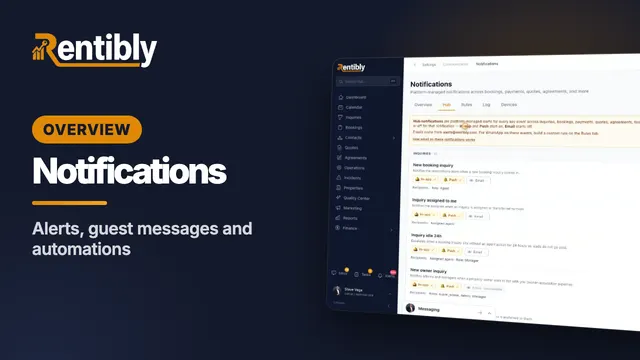
Notifications & Automations
Every alert and message your business sends: team alerts, building a message rule for guests, the notification log, email and WhatsApp templates, automations that do the routine work, and response-time targets. Shown live on a real Rentibly workspace.
 2:44
2:44Overview
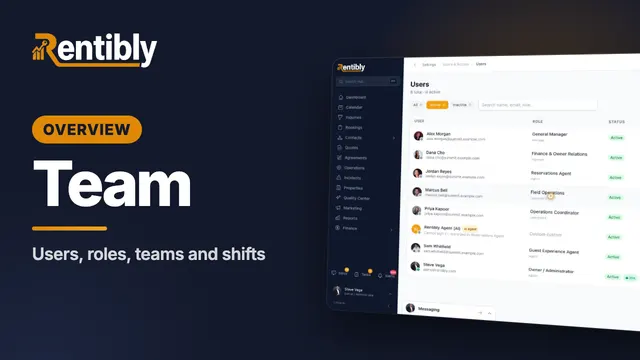
Team & Permissions
Your people and what they can do: users, adding someone, building a role with exactly the access it needs, teams, working-hour shifts, job titles and dashboards. Shown live on a real Rentibly workspace.
Count your subscriptions. Then count ours.
A 30-minute demo on your numbers — every tool you pay for today, mapped to its native Rentibly module.
Book a demo