Rentibly Marketing — Overview
6:27 · 11 chapters · Watch on YouTube
Chapters
Read the transcript
Hey, and welcome to this overview of Rentibly Marketing! I'll build an audience, design an email and a WhatsApp message, put them together in a campaign, and set up a journey that runs on its own — and show you how consent keeps every send clean. Here's everything we'll cover. Every chapter's start time is right here, and in your player — so if you're after something specific, jump straight to it. Let's dive in.
Welcome to Marketing: how you bring guests back, by email and on WhatsApp. One-off campaigns, journeys that run by themselves on the booking lifecycle, audiences that keep themselves up to date, templates, and promo codes. And every send is consent-gated — nobody hears from you unless they've opted in. Up top, the results that matter: revenue your marketing brought in, how many messages went out this month, and your open and click rates. Your plan's here too — the first thousand emails a month are free.
Everything starts with who you're talking to. Audiences builds smart segments — groups that update themselves. Let's find our repeat guests: contact type guest… and total bookings, two or more. And as you build it, Who this reaches counts them live: how many contacts match, how many you can actually reach on WhatsApp and by email — and why the rest can't be reached, like no consent, or no address on file. Save segment — and it's ready to use in any campaign or journey, and it stays up to date on its own. Lists are the other kind of audience: people you add by hand, or import from a spreadsheet with their consent recorded.
Next, what you send. Templates holds your emails and your WhatsApp messages, side by side. Let's design a new email — the builder. A name, the subject line guests will see in their inbox, and the preview text that follows it. The button gets a label and a link — straight to your booking site.
On the left, the building blocks: headings, text, images, buttons. But here's my favourite part — live blocks. Live availability fills in with your homes that are actually free when the email goes out, with live prices. Property cards show the homes you choose, with photos and from-prices. And Guest reviews pulls in your freshest five-star reviews from Quality Center — so every email carries real social proof, without you lifting a finger. Check it on a phone, since that's where most guests read it. Then Save and close.
WhatsApp templates work a little differently: Meta reviews each one before you can send it — usually within minutes. Pick the number it sends from and the language, then a name. The message, with a variable for the guest's first name — and a sample, so Meta sees how it reads. A footer for opting out — and you can add quick-reply or link buttons too. On the right, a live preview of exactly how it lands on the guest's phone. Create and submit sends it to Meta for approval. I'll just save it as a draft for now — nothing leaves Rentibly until you submit.
Now let's put it together in a campaign. New campaign — a name, then the audience: our repeat guests. Content: send by email, WhatsApp, or both — WhatsApp first, with email as the fallback. We'll use email, with the template we just designed. And A/B testing tries two subject lines on a slice of the audience, then sends the winner to everyone else. Delivery: send at once, drip it out over a couple of hours, or land in each guest's inbox at their local morning. Quiet hours are respected automatically.
And Review shows exactly who'll receive it before anything goes out. Six hundred and ten repeat guests — but only one has said yes to marketing email, so the other six hundred and nine are skipped. That's the consent gate doing its job. Then the pre-flight checks: template, subject, unsubscribe link. Send now would start it. I'll close it here — it waits as a draft.
Journeys are campaigns that run themselves. The Playbook library has ready-made ones — a post-stay review request, a pre-arrival upsell, a follow-up for quotes that went quiet, win-backs, and an occupancy-gap promo. Let's use the review request. It's all laid out: when a guest checks out, wait three days; if they've already reviewed, stop — otherwise send the request, wait, and nudge once more. Every step shows how many guests are in it. It's saved as a draft — Activate when your templates are ready. You can add branches, waits for a reply, or actions like tagging the guest — all on the same canvas.
Promo codes turn your discounts into shareable codes — each with its own link, dates, a cap on uses, and the revenue it brought in. Guests redeem them on your quotes and your booking website. Deliverability keeps your sending healthy: bounce and complaint rates against the limits mailbox providers care about, plus your suppression list. And Settings holds your sender name, reply-to address, quiet hours and brand. And that's Marketing — audiences, templates, campaigns and journeys that bring guests back, sent only to people who said yes.
Thanks so much for watching! If you're already on Rentibly, open Marketing, then Journeys, and start from the Playbook library — your first journey takes a few minutes. And if you're not on Rentibly yet, book a demo call, and we'll show you all of this, live.
Build an audience, design an email with live availability and guest reviews, create a WhatsApp template, set up a campaign with A/B testing and the consent gate, and launch a journey from a playbook. Shown live on a real Rentibly workspace.
Up next
 6:15
6:15Overview
Inbox
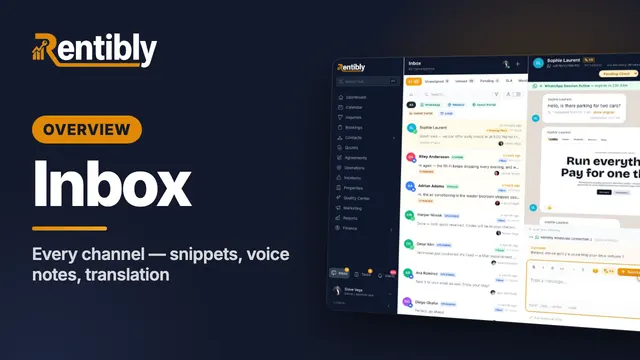
Every channel in one inbox — WhatsApp, email, website chat, the portals, plus Airbnb, Booking.com and Vrbo — and a live WhatsApp conversation: snippets, quoted replies, reactions, automatic translation, attachments, voice notes, pins, flags and Rentibly AI. Shown live on a real Rentibly workspace.
 9:13
9:13Overview
Booking Website
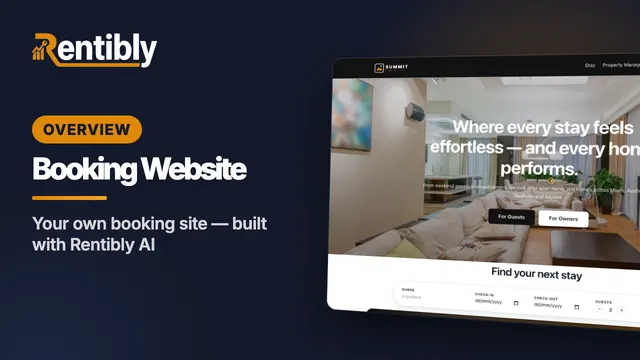
Your own direct-booking website: make it your brand, build pages section by section, have Rentibly AI write a custom section from one sentence, follow a guest from your home page to their quote, read your website analytics in depth, and add booking widgets to any website. Shown live on a real Rentibly workspace.
Count your subscriptions. Then count ours.
A 30-minute demo on your numbers — every tool you pay for today, mapped to its native Rentibly module.
Book a demo