Rentibly Owner Statements — Overview
6:17 · 11 chapters · Watch on YouTube
Chapters
Read the transcript
Hey, and welcome to this overview of owner statements in Rentibly! We'll follow one owner through a whole month — how their account is set up, how statements are created and read, how they're released, and how the owner gets paid. Here's everything we'll cover. Every chapter's start time is right here, and in your player — so if you're after something specific, jump straight to it. Let's dive in.
Let's follow one owner, Levi Young, through a whole month — from how the account is set up, to the statement, to getting paid. It all starts with your company's defaults. Revenue recognition decides which month a stay's money lands in — prorated splits it across the nights. And payment basis: on cash, owners only see what guests have actually paid. Money the channels collect for you — Airbnb, Booking.com — can wait until you've confirmed the payout arrived. Commission can be worked out after card and channel fees. And Rentibly can draft every owner's statement for you automatically, on the day of the month you choose. Set it once here, and every owner follows it — unless you override it for one of them.
Ownership lives on each property. Halcyon House 23D is co-owned — half by Levi at a twenty percent commission, half by Green Ventures at eighteen — so every booking here is split between two statements, automatically. Agreed a new rate? Schedule rate change sets it from a future date — only stays from then on use the new commission, so past statements never change. Every change is kept in the rate history, so you can always see what applied when.
Now Levi's profile. Owner portal access is on, so Levi can sign in and see every statement and payout. And up top, the running balance: we owe Levi thirty thousand, seven hundred and ninety-seven dollars — that's September, not yet paid. Six properties, an average twenty percent commission, and each one listed with Levi's share. Financial Settings holds the money details: how Levi gets paid — bank transfer, with the account on file — and any rule where Levi differs from your company defaults.
Owner Statements is where every owner's month comes together. A hundred and eight statements here — the bookings, the expenses, the total paid out, and the commission you earned. Filter by date, by owner, by status, or by whether it's been paid.
Creating statements takes one click. Bulk generate drafts a statement for every owner at once — each one runs from the day after their last statement to the date you pick. Let's draft just Levi's, for October so far. Generate one draft — one generated, none skipped. And there it is in the list. A draft is completely safe: nothing goes to the owner, and you can regenerate or delete it as often as you like.
Here's the draft: the first to the eighth of October — twelve bookings across six properties. Seven thousand one hundred and ninety-eight in bookings, twelve sixty-seven in expenses, and a payout of five thousand nine hundred and thirty. And see Prior-period adjustments? Two bookings from June and July changed after those statements were approved — so Rentibly carries the difference into this one, automatically. When the month's closed, Approve locks the numbers, and Release publishes it to the owner's portal — from Finance, you choose whether a notification goes with it. This one's only a preview, so I'll delete the draft.
So let's read a real one: Levi's September statement, approved and released on the fourth of October. Bookings came to thirty-two thousand eight hundred, expenses took off two thousand, and Levi's payout is thirty thousand, seven hundred and ninety-seven. Your commission — eight thousand six hundred — is already inside the bookings figure. Below, every booking behind it, property by property — the guest, the channel, the dates, the nights in this month, and the rental amount — with a subtotal for each home. And Payments received shows nothing yet: September's still open.
Now let's pay Levi. The Payouts tab is the history of money you've actually sent — every transfer, applied to the statement it settles, with the bank reference, and when it cleared. Record Payout. The amount — thirty thousand, seven hundred and ninety-seven, sixty-nine. Bank transfer, and the bank's reference. And see this? Rentibly applies it to the statements that are still open — September, matched to the cent. If a payment covers several months, it splits across them, oldest first. Save payout — and it's on record, applied to September. Once the bank confirms the transfer, Mark cleared, and the cleared date is stamped on the payout — Levi sees that too.
Back on the statements, September now reads Settled — and the running balance is back to zero. Levi sees the same thing in the owner portal: the statement, the payout, and the cleared date. And Owner Balances shows every owner at once: who you owe, how much in total, and the rare owner who owes you — because an expense came to more than their income. It's the number to check before any payout run. And that's owner money in Rentibly: set up once, statements drafted for you, released when you're ready, and every dollar paid out — on record.
Thanks so much for watching! If you're already on Rentibly, open Finance and check Owner Balances — that's exactly what you owe every owner, right now. And if you're not on Rentibly yet, book a demo call, and we'll show you all of this, live.
Follow one owner through a whole month: owner defaults, co-ownership and commission, generating and reading a statement line by line, approval and release, recording the payout, and owner balances. Shown live on a real Rentibly workspace.
Up next
 3:31
3:31Overview
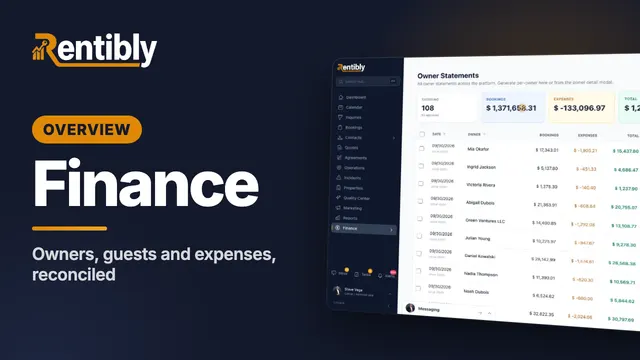
Finance
Owner balances, statements and payouts, guest payments and scheduled installments, channel payouts and expenses — all reconciled in one place. Shown live on a real Rentibly workspace.
 2:37
2:37Overview
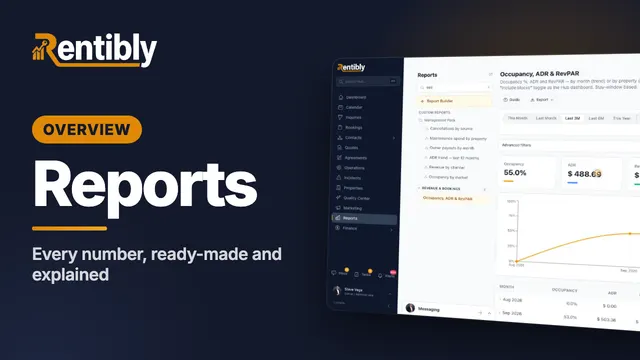
Reports
Find any report in seconds, look back or forward in time, group and filter, drill into the records behind a number, and see exactly how every metric is calculated. Shown live on a real Rentibly workspace.
Count your subscriptions. Then count ours.
A 30-minute demo on your numbers — every tool you pay for today, mapped to its native Rentibly module.
Book a demo