Fix channel bookings that need attention
Updated 13 October 2026
Sometimes a channel sends a booking that Rentibly can't add to your calendar, for example because the dates are already taken. The guest still has a confirmed reservation, so these bookings wait on one page until you sort them out.
Steps
Click your name at the bottom of the sidebar, then Settings. Under Integrations, open Channels & OTAs.
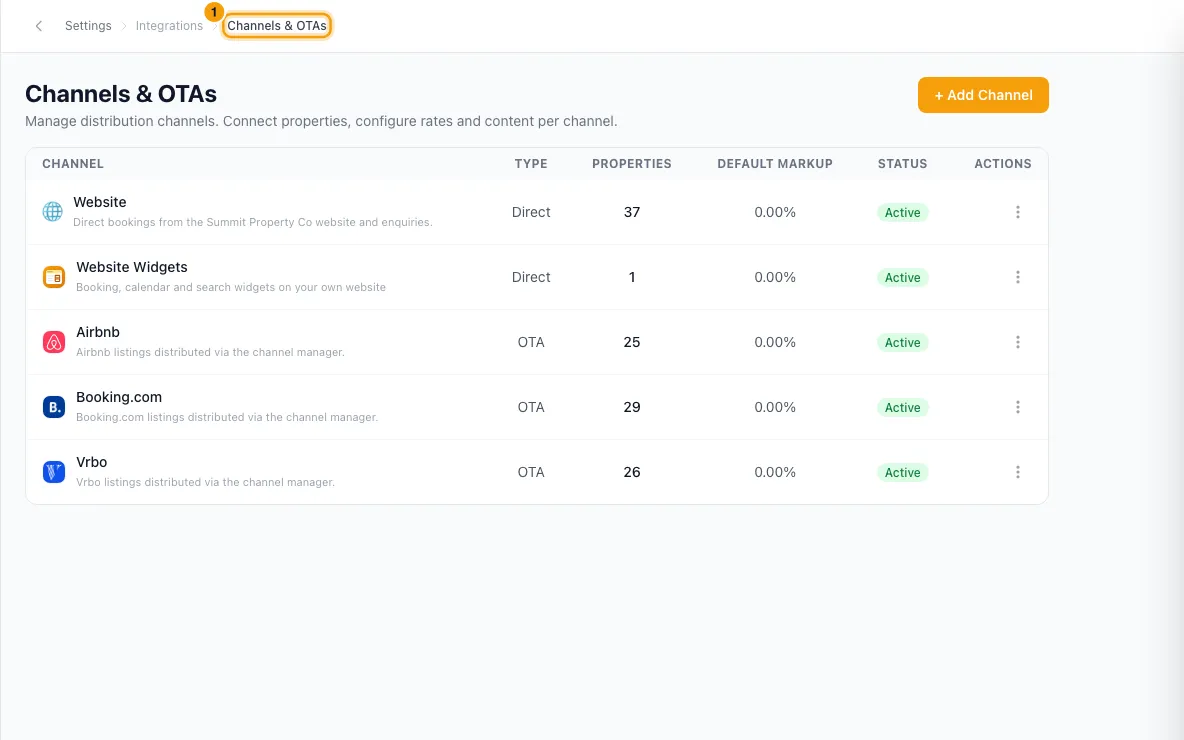
Click Needs attention at the top. It shows how many bookings are waiting. This opens Channel bookings needing attention.
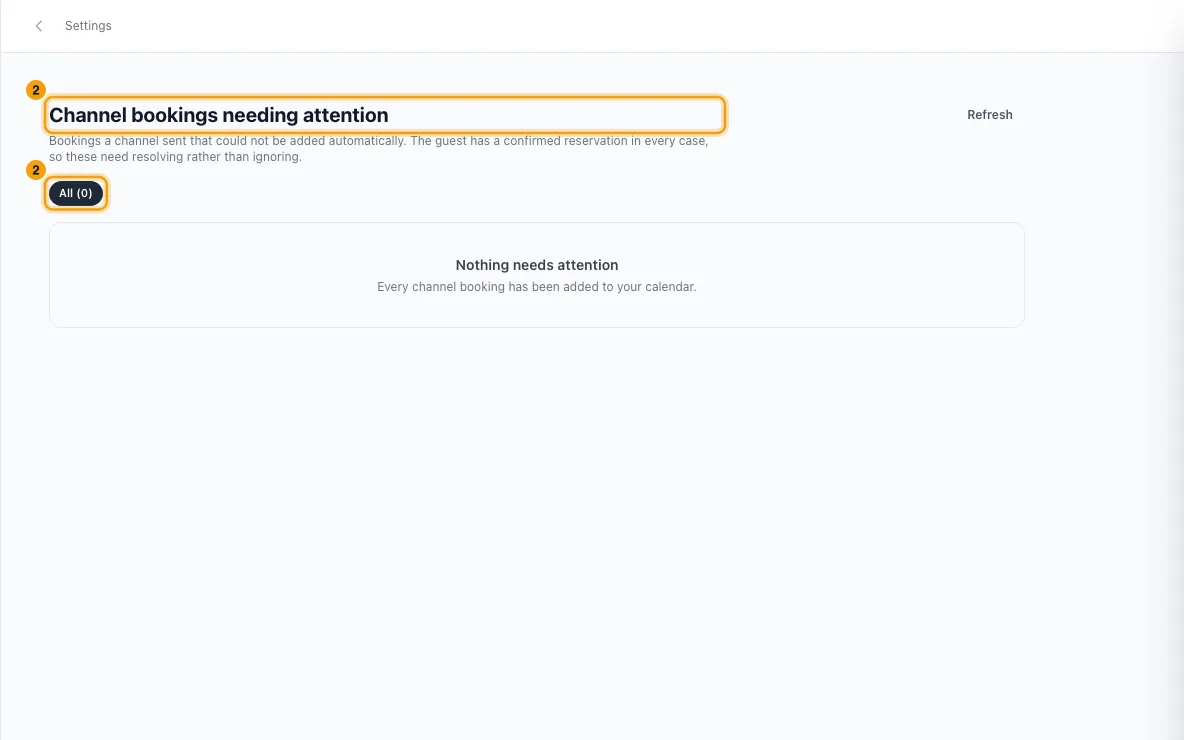
Read each card: the guest, the channel, the dates, how soon they arrive, and what went wrong.
Fix it the way the card says:
- Dates blocked: clear whatever holds the dates. Cancel the other booking, or delete the block or owner stay. The card names what is in the way, and Open the blocking booking takes you to it. The booking is then added automatically.
- Property not connected: connect that property to the channel (see "List a property on Airbnb, Booking.com or another channel"). The booking is then added automatically. Dismiss the card if the listing is retired.
- No matching booking: a change or cancellation arrived for a booking that never reached Rentibly. Sort out the original booking if it is still listed, then dismiss this one.
- Could not be read or Needs a look (Emerging Travel Group): the channel sent a booking Rentibly couldn't read or add on its own. Check the reservation in the channel's own extranet, add it yourself if needed, then dismiss the card.
If you're handling a booking outside Rentibly, click Dismiss. To bring a dismissed card back, filter by Dismissed and click Restore. It returns to the same kind of card it was before. A restored Dates blocked or Property not connected card is tried again straight away, and the page reloads a few seconds later to show the result.
Good to know
- The most urgent bookings come first: Guest has arrived, then Arrives today, Arrives tomorrow and Arrives in … days.
- Dates blocked fixes itself once the dates are free. For Airbnb, Booking.com, Vrbo and the other channel-manager channels, the booking is added the next time Rentibly checks the channel (every 15 minutes). For Emerging Travel Group it is added within a few seconds of the calendar change, with a check every 10 minutes as a backup. A date change that clashed is applied the same way.
- Property not connected fixes itself too: when you connect the property, its waiting bookings are added straight away, and the 15-minute check catches any it missed. If the dates are taken by then, the card turns into Dates blocked.
- A booking added this way sends the usual new-booking notification. Its Booking History shows an Auto-confirmed entry saying why it appeared later than it was booked.
- If the channel cancelled the booking while it was waiting, it is not added. The card is closed instead.
- Use the filters at the top to narrow the list: All, plus one for each kind of card currently waiting (Dates blocked, Property not connected, No matching booking, Could not be read, Needs a look, Dismissed). Refresh reloads it.
- Dismissed bookings don't appear in owner statements, occupancy or revenue. Restore one if that wasn't intended.
- The Needs attention button doesn't count dismissed bookings. When nothing is waiting, the button is hidden and the page says Nothing needs attention.
- Dates blocked and Property not connected also send an urgent notification (in the app, by push and by email) to admins, managers and agents: Channel booking held — dates blocked and Channel booking for an unconnected property. An Emerging Travel Group date change that lands on blocked dates sends Channel date change held — dates blocked. You can change who gets them in Settings → Notifications → Hub.
- Clicking a Channel booking held or Channel date change held notification opens this page.
- Each waiting booking notifies once. A retry that is still blocked or still not connected, or the channel sending the same booking again while it waits, does not notify again. If a Property not connected booking turns into Dates blocked after you connect the property, you get one Channel booking held notification for that. For Emerging Travel Group, if a later change to that booking clashes again, you get a new notification.
- The page shows up to 200 waiting bookings.
- You need Settings access to open this page and to dismiss or restore.
Rentibly AI can help
- Rentibly AI can't read or clear this list yet. Use the Channel bookings needing attention page.
Still stuck?
Open Support from your profile menu in Rentibly, or email hello@rentibly.com — we answer fast.