Attach photos and invoices to an operation and show them to owners
Updated 13 October 2026
Add photos, invoices and other files to an operation, then choose which ones the property owner can see in the owner portal.
Steps
Go to Operations, open the operation and click the Attachments tab.
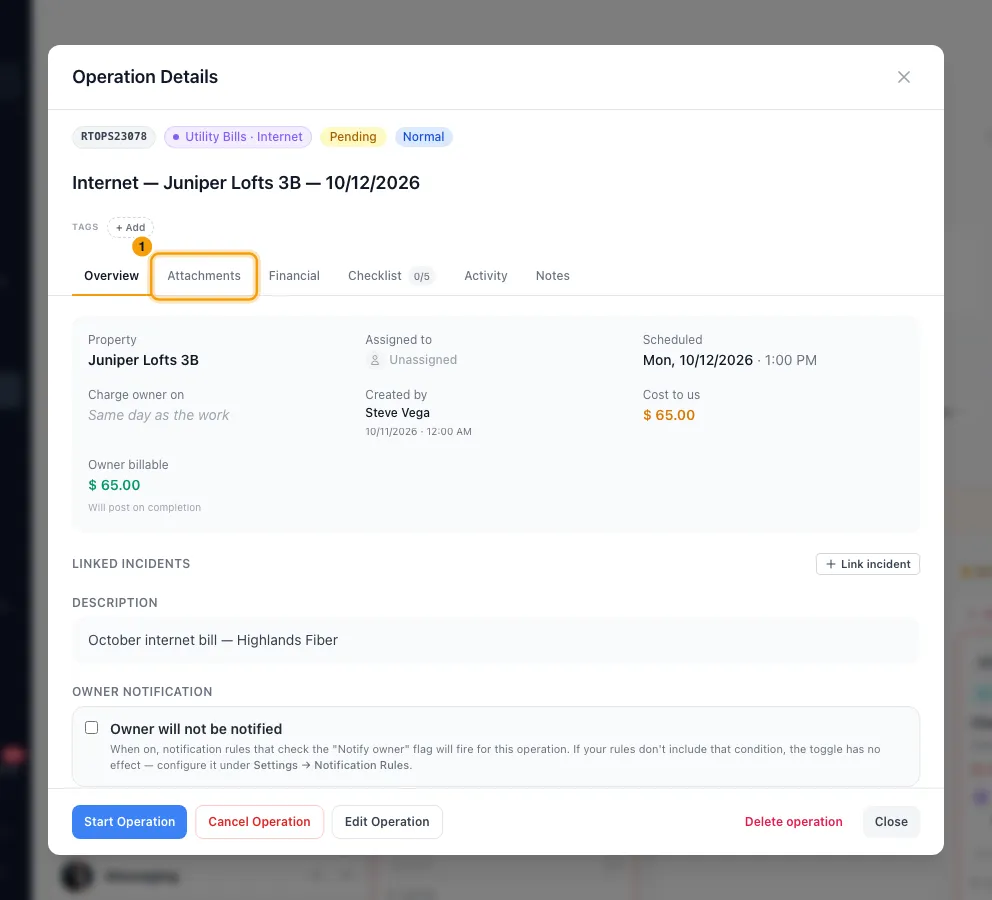
Pick a section: Dispatch brief, In-progress photos, Completion evidence or Invoices & receipts.
Click + Upload in that section, or drop files onto it.
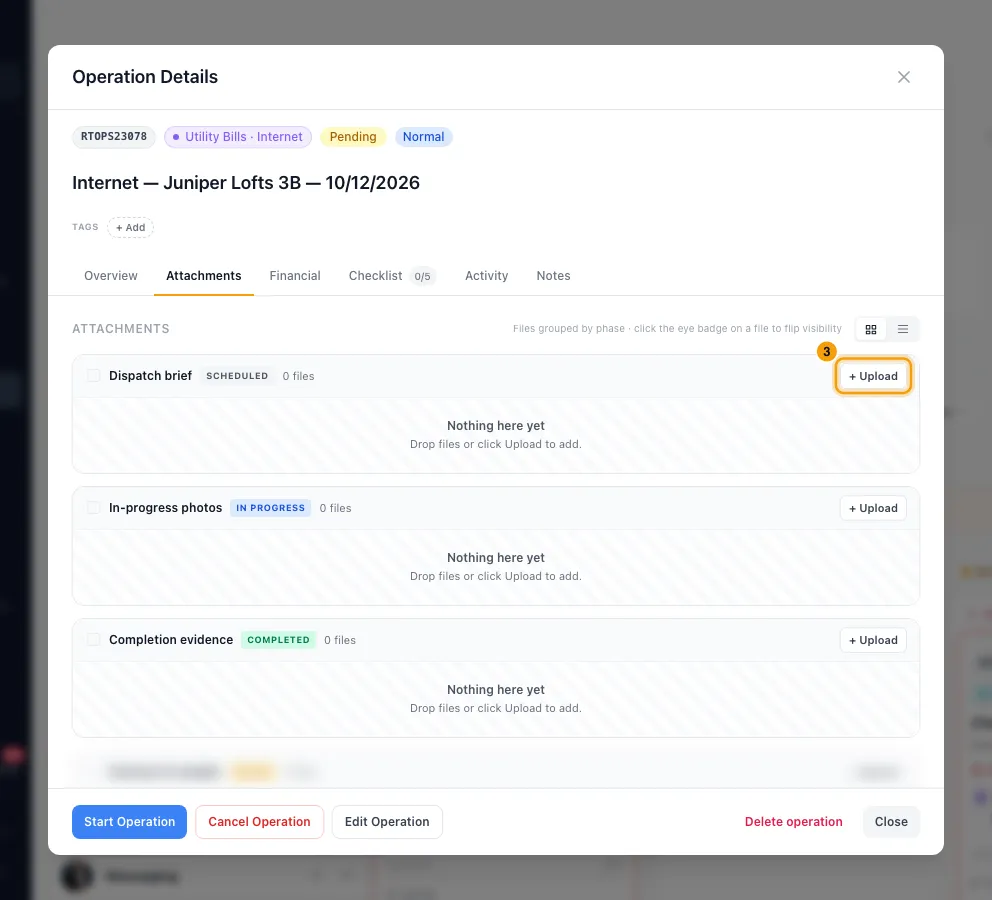
New files are marked Internal. To show a file to the owner, click its badge so it changes to Owner. Click it again to hide it.
To change several files at once, tick them, or tick a section's box to select all of its files. Then click Make owner-visible or Hide from owner in the bar at the bottom. Download and Delete are there too.
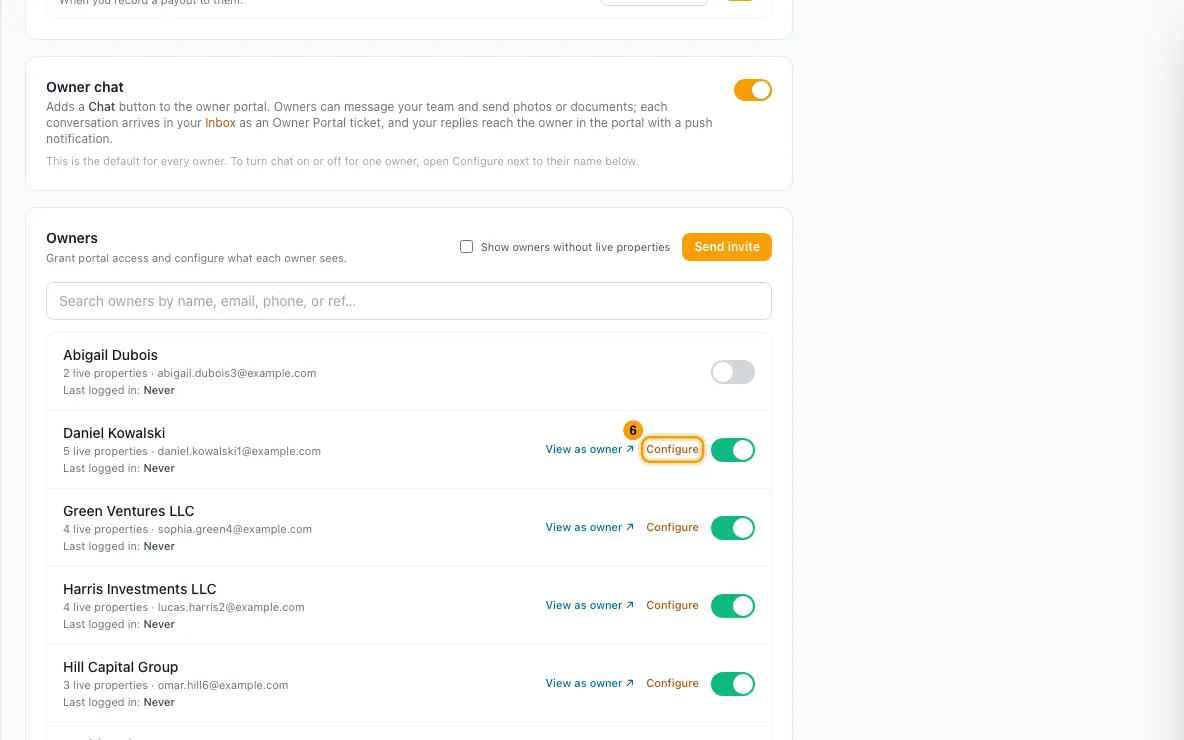
Make sure the owner can see the operation. Open Settings from your profile menu in the sidebar and go to Owners → Owner Portal. Click Configure next to the owner.
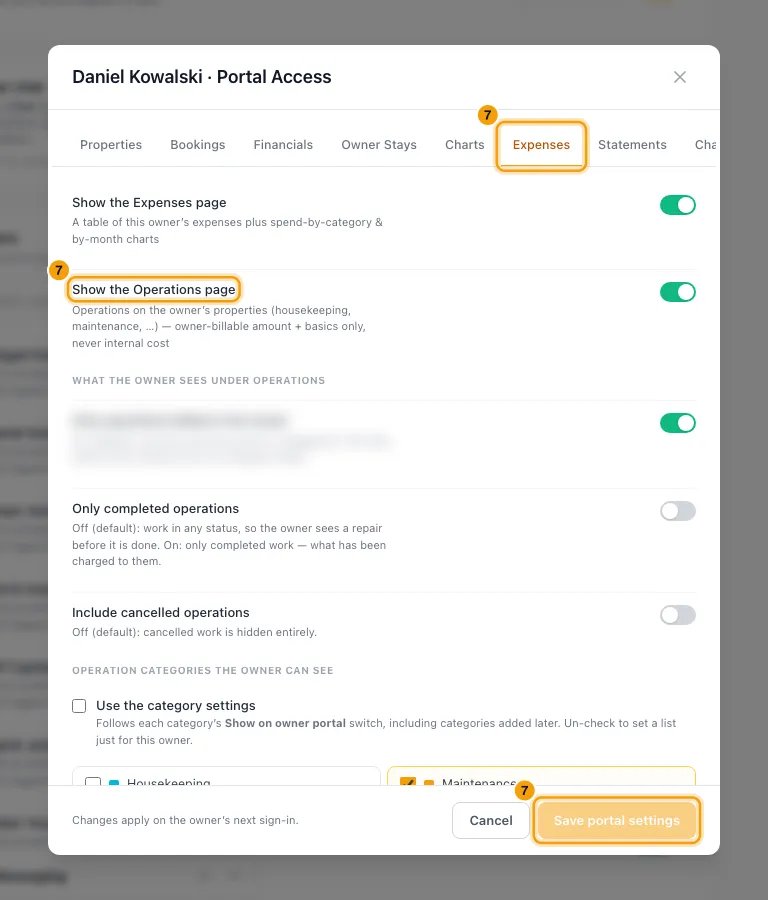
On the Expenses tab, turn on Show the Operations page, then click Save portal settings.
Good to know
- Every file starts as Internal, whatever its section. Owners see a file only after you switch it to Owner.
- Which operations an owner sees:
- Only operations billed to the owner is on by default. Turn it off to also show work done at no charge to them.
- Only completed operations is off by default, so they also see work not yet done. Include cancelled operations is off by default.
- Only categories marked Owner portal on Categories & Types are shown (Hidden is the default). Untick Use the category settings to pick categories just for this owner. An operation with no category is never shown.
- Without the Operations page: an owner-visible file on a job that was billed to the owner still shows with that charge on their statements and expenses.
- What owners never see: your internal cost, the vendor or the assignee.
- Files: images, PDFs, Office documents, video and archives (zip, 7z, rar, tar), up to 99 MB each.
- Required sections: a category can require files in a section before the job can be completed. Set this under Categories & Types → Edit → Attachment bucket policy. An empty required section reads Required · 0 files.
- Deleting a file is permanent. It can't be restored from the Recycle Bin.
- Permissions:
- Uploading needs Files & documents set to Edit. So does switching a file between Internal and Owner.
- Deleting needs Permanently delete records. Without it, the delete buttons are hidden.
- Changing what an owner's portal shows needs Set up the owner portal.
- Files uploaded by field workers in the Ops Portal appear here too, live.
Rentibly AI can help
- Attach files in the chat and it puts them on the operation.
- It can show or hide files from owners, or move them to another section, on many operations at once.
- It can tell you which jobs have invoices attached and how many files owners can see.
Still stuck?
Open Support from your profile menu in Rentibly, or email hello@rentibly.com — we answer fast.