Complete an operation
Updated 13 October 2026
Mark a job as done. Before you can, every required checklist step must be ticked and every required file section must hold at least one file.
Steps
Go to Operations and click the operation to open Operation Details.
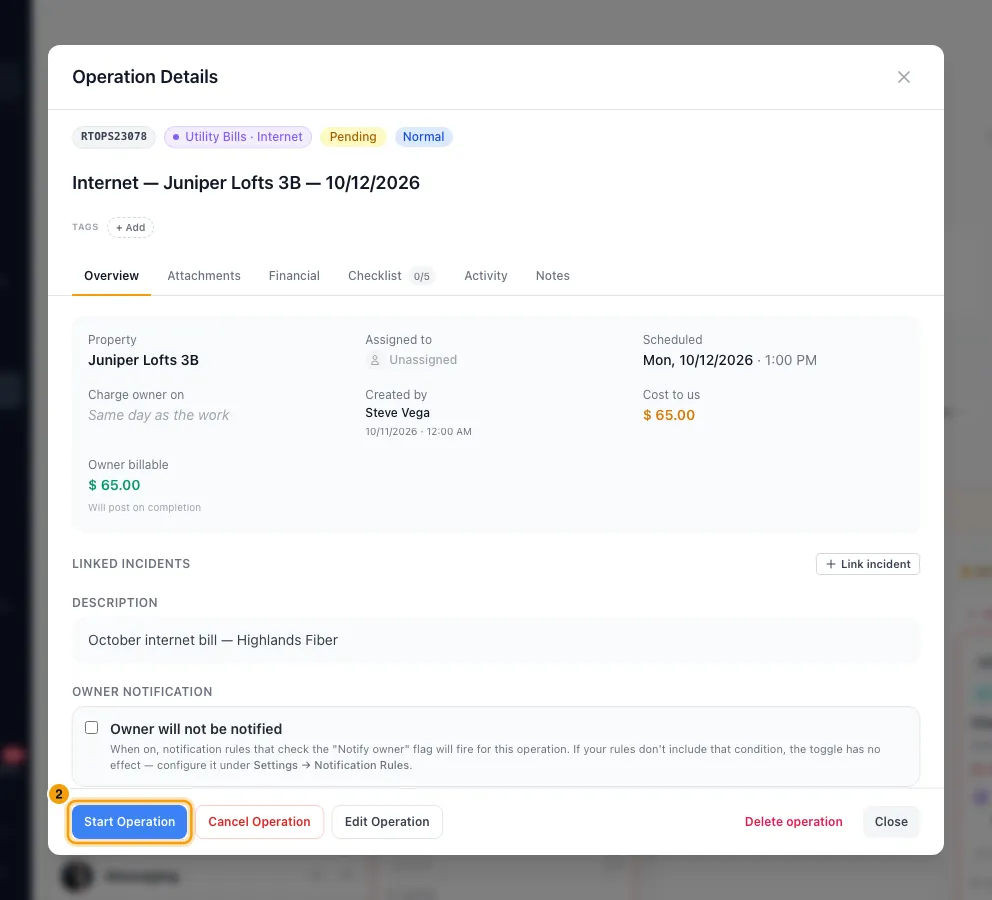
If it is still Pending, click Start Operation, then confirm with Start operation.
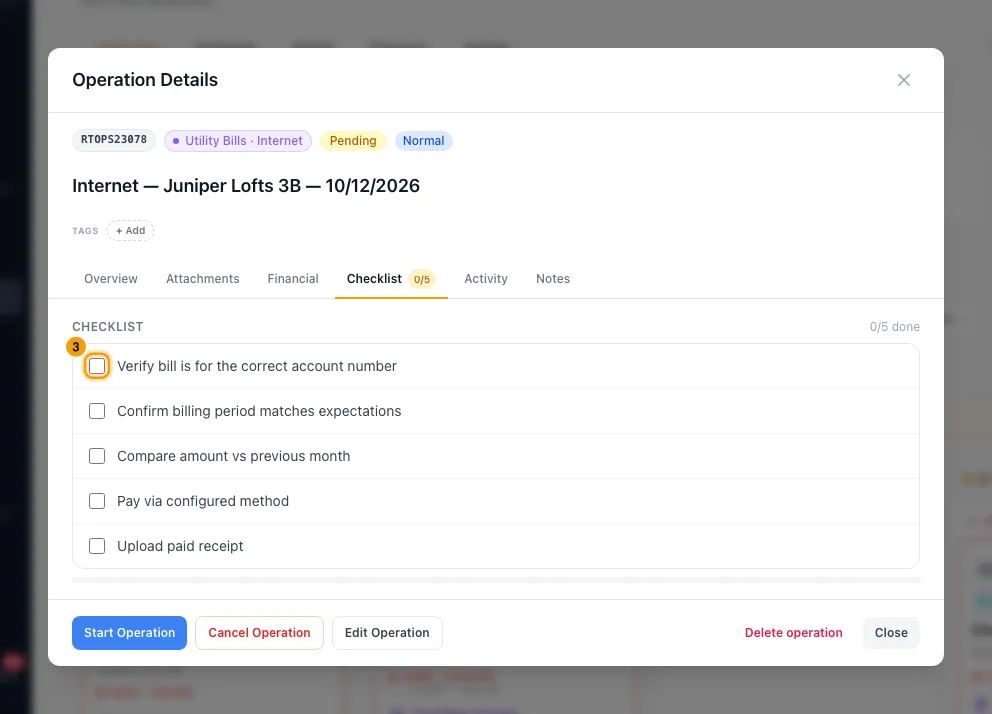
On the Checklist tab, tick each step as it's done. Each tick saves straight away.
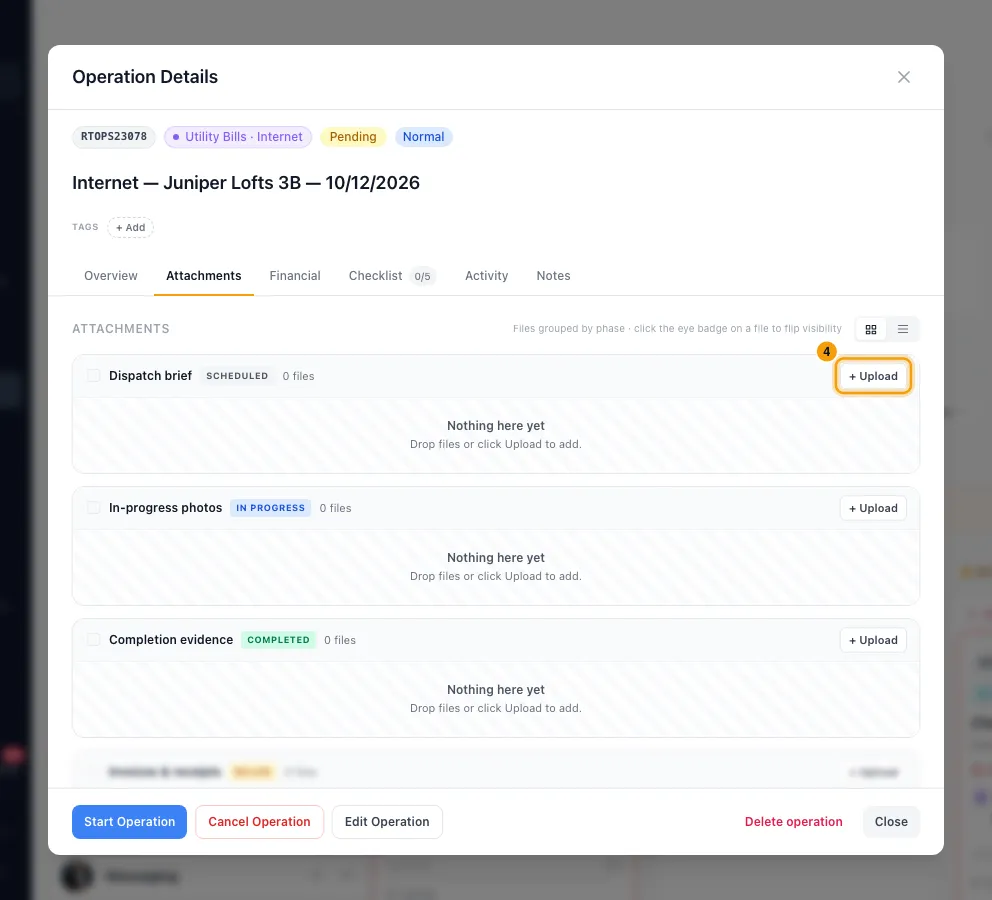
On the Attachments tab, look for any section marked Required · 0 files and add a file to it with + Upload.
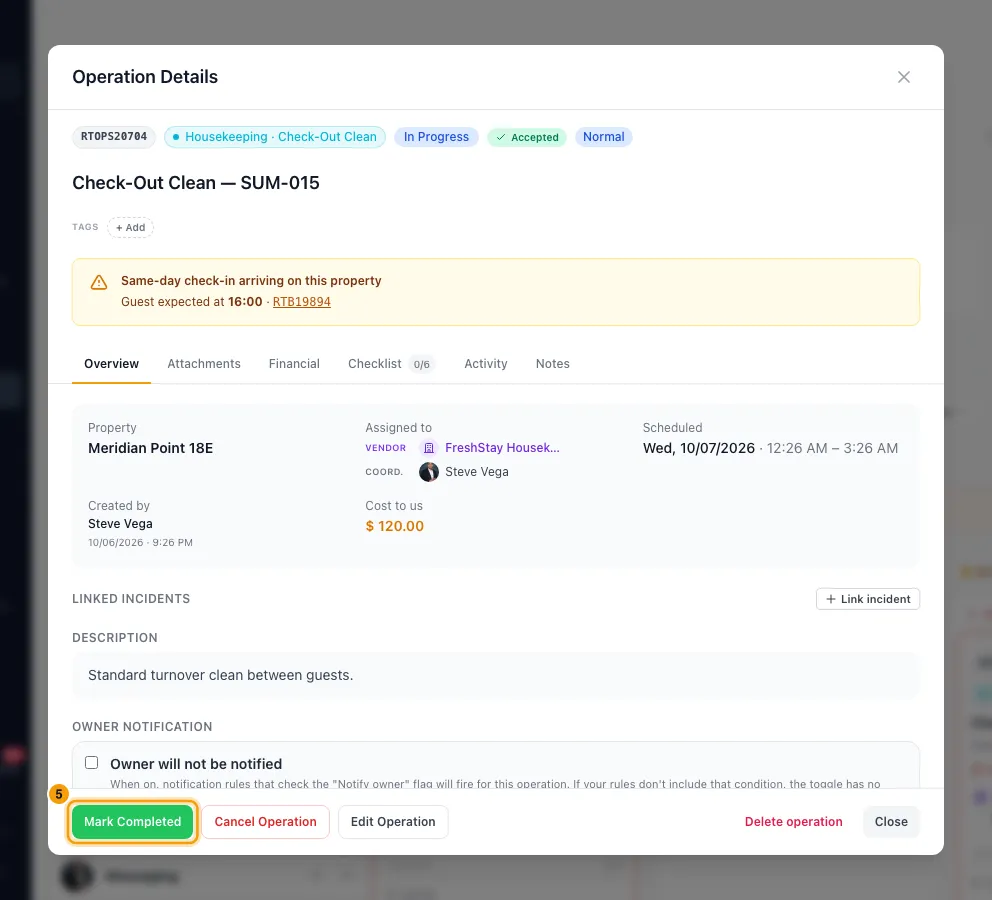
Click Mark Completed. If files are still missing, the button reads Mark Completed · N required and can't be clicked.
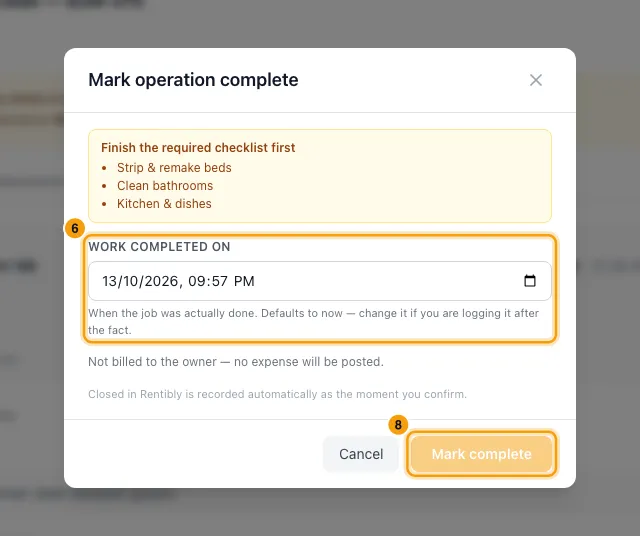
In Mark operation complete, set Work completed on. It starts at now; change it if you are logging the job later.
If the owner is billed, keep Charge the owner on the same date on, or turn it off and pick a Charge owner on date.
Click Mark complete.
Good to know
- Mark Completed only appears once the job is In Progress.
- Required steps: if any are still open, the window lists them under Finish the required checklist first, and Mark complete stays greyed out.
- Required files: set per category, under Settings → Operations & Tasks → Categories & Types → Edit → Attachment bucket policy. No section is required unless you set it.
- The same rules apply everywhere: when you complete several jobs at once with Mark complete, when Rentibly AI completes one, and from the Ops Portal. A bulk complete uses now as the work date.
- Three dates are kept:
- Work completed: the date you set.
- Charge owner on: shown only when the owner is billed, on the job's Financial tab and in Overview.
- Closed in Rentibly: stamped automatically when you confirm.
- Owner expense: completing a billable job posts an owner expense of the Owner billable amount (or the cost, if there is no amount). It needs a property and an amount above zero. On a property with several owners, each owner gets their own line.
- The date decides the owner statement it lands on. A date inside an already-approved period moves forward to the next open one.
- The job's Overview then shows Posted to owner statement. Click it to open the expense.
- After completion: click the date under Charge owner on — on the Financial tab, below Billable to owner, or in Overview — to change it in place. The work date changes with Edit Operation. The posted expense follows either change. Once that expense is on an approved owner statement, the change is refused and the job is left as it was.
- Reopen Operation moves a completed job back to In Progress. The owner expense is not removed. Completing it again does not post a second one.
- Review before completion: if the category has Require operator review before completion turned on, a job finished in the Ops Portal waits in Awaiting review for you. See Plan and review operations on the Operations page.
- Permission: you need Operations set to Edit.
Rentibly AI can help
- Ask it to start or complete an operation. It follows the same checklist and file rules and posts the owner expense when the job is billable. Completing a job that is awaiting review approves it, the same as Approve → Complete.
- Ask it to send a job awaiting review back for rework. It works like Send back and needs your note saying what to fix.
Still stuck?
Open Support from your profile menu in Rentibly, or email hello@rentibly.com — we answer fast.