Use a different time on a same-day turnover
Updated 12 October 2026
Give a booking automation two timings. One is used when the night before check-in (or after check-out) is vacant. The other is used on a same-day turnover, when one stay ends and another starts on the same day.
Steps
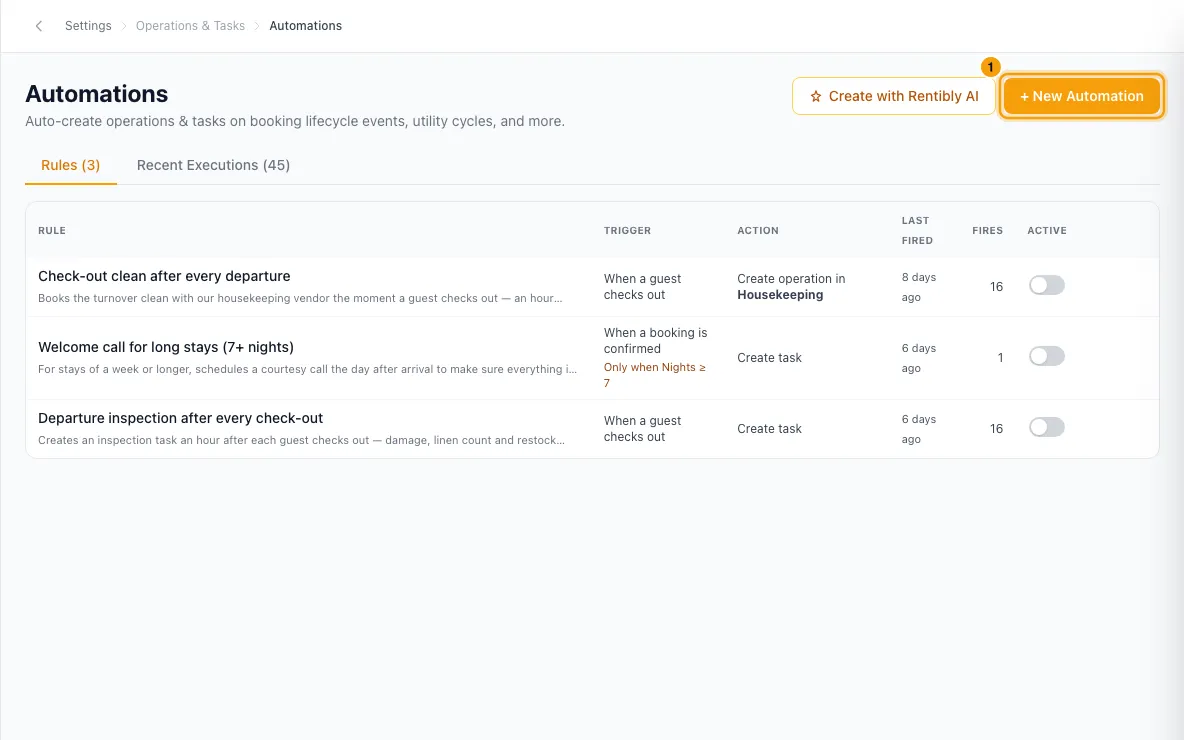
Open Settings from your profile menu in the sidebar, then go to Operations & Tasks → Automations. Open a rule, or click + New Automation.
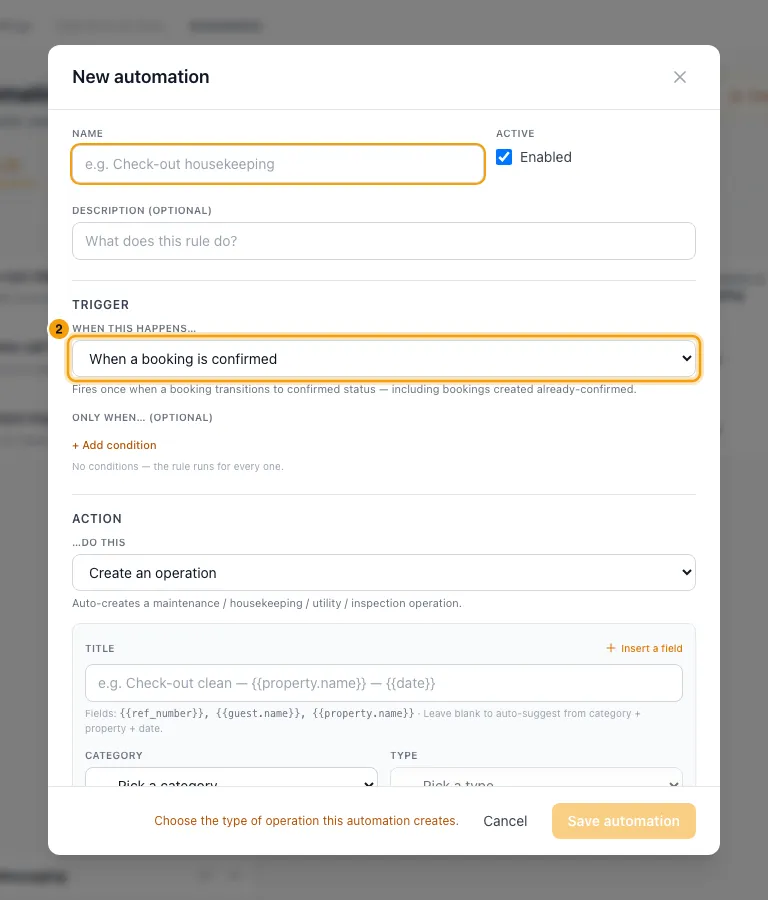
Pick a booking trigger, such as When a booking is confirmed.
Under When should it be scheduled?, set the Anchor to the booking's check-in or check-out (for example Booking check-in time).
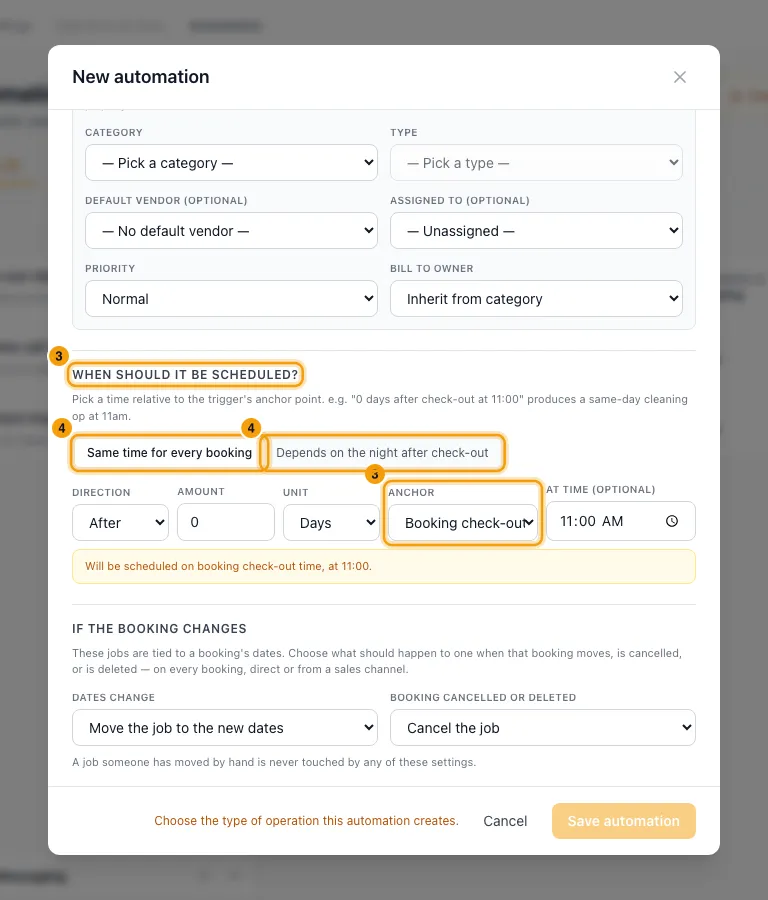
Switch from Same time for every booking to Depends on the night before check-in (or Depends on the night after check-out).
In the first box (Night before check-in is vacant or Nobody arrives on the check-out day), set the usual timing with Direction, Amount, Unit and At time (optional). For example: Before, 1, Days, at 14:00.
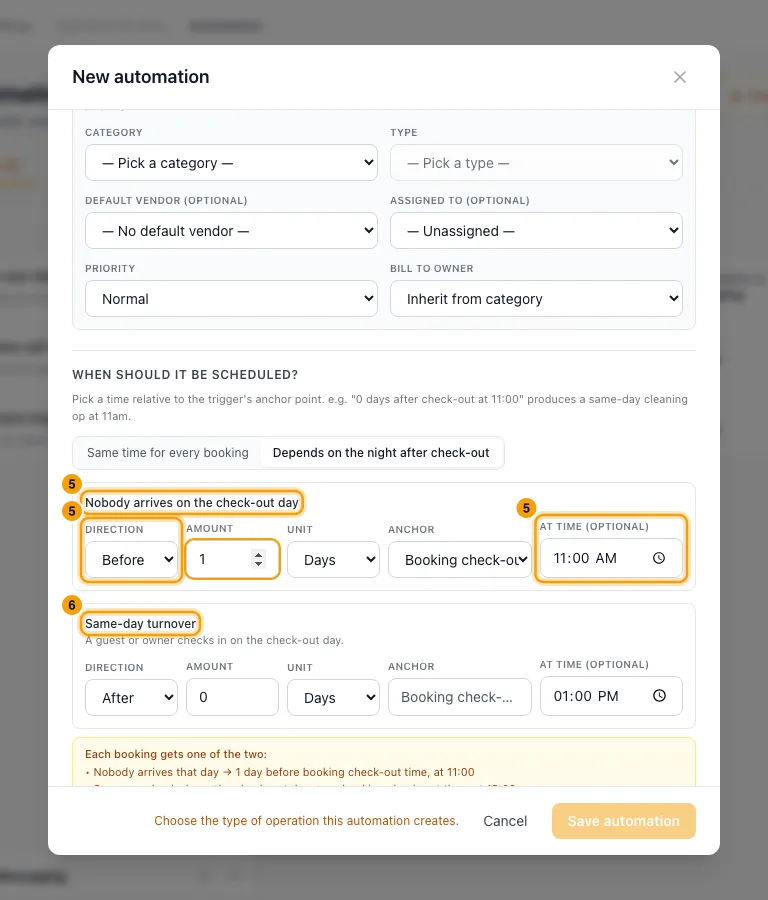
In the Same-day turnover box, set the turnover timing. For example: After, 0, Days, at 13:00. It uses the same anchor.
Check the summary under Each booking gets one of the two:, which shows both timings in words.
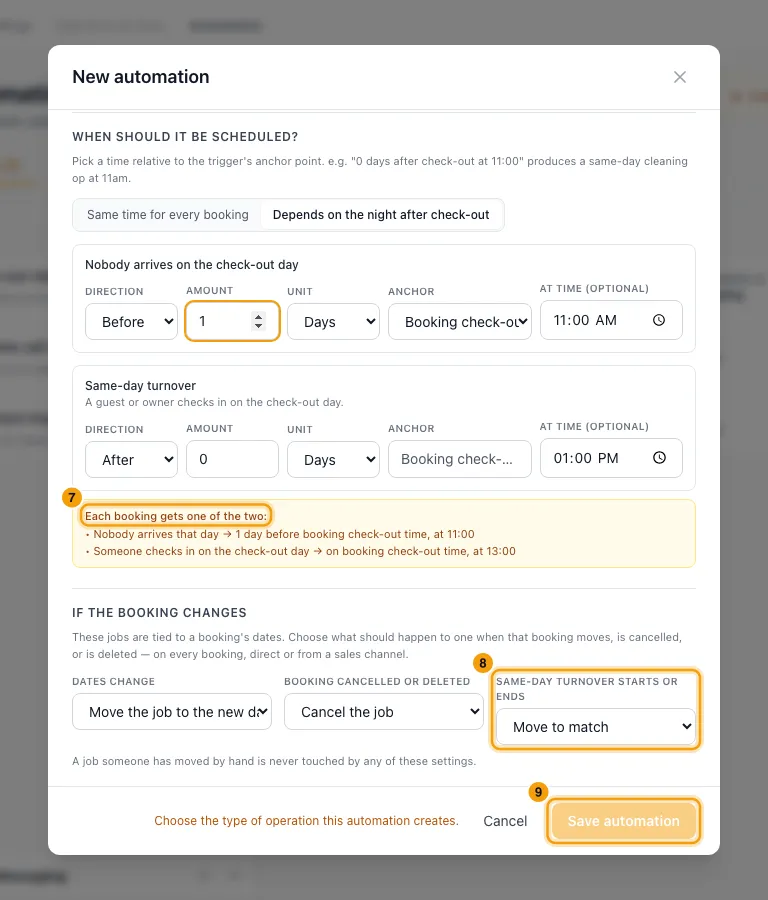
If the rule creates an operation, under If the booking changes → Same-day turnover starts or ends, choose Move to match or Keep first time. (Tasks keep the timing they were created with.)
Click Save automation.
Good to know
- The choice only appears for booking triggers timed from the booking's check-in or check-out. If you later change the trigger or anchor to one without it, the turnover timing is dropped when you save.
- What counts as a turnover:
- With a check-in anchor: another stay at the property checks out on this booking's check-in day.
- With a check-out anchor: another stay checks in on this booking's check-out day.
- Owner stays count, whether they were made as bookings or added on the calendar. Cancelled stays, inquiries, no-shows and other calendar blocks don't count.
- When other bookings change: if a booking at the property is created, confirmed, moved, cancelled or deleted, pending jobs are re-timed to whichever timing now applies. Keep first time stops this.
- Never re-timed: jobs someone moved by hand, jobs already started, completed or cancelled, and jobs whose time has passed.
- Permission: changing automations needs Settings set to Access.
Rentibly AI can help
- It can create or edit a rule with both timings.
Still stuck?
Open Support from your profile menu in Rentibly, or email hello@rentibly.com — we answer fast.