Send the guest their digital check-in link and instructions
Updated 13 October 2026
Every booking can have its own secure check-in link, where the guest fills in your check-in form before arrival. Copy the link and send it, or put it in a template or an automatic message.
Steps
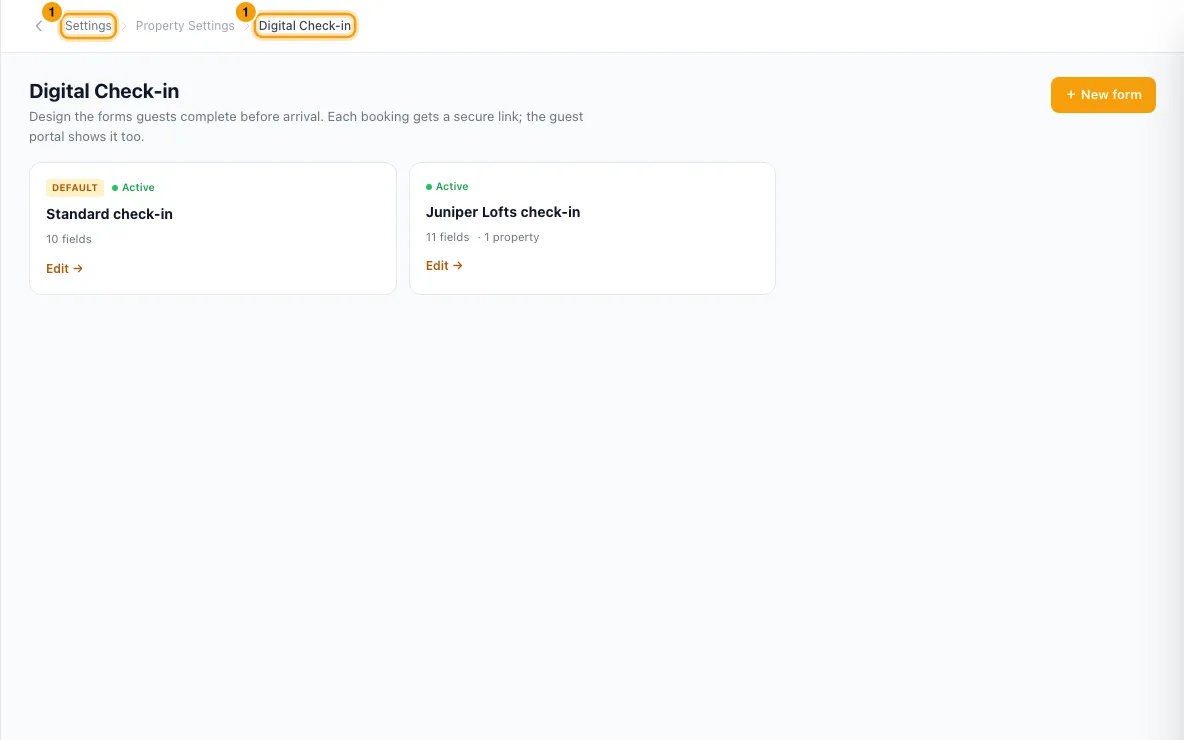
Set up a form first, under Settings → Digital Check-in. The link only exists once an active form applies to the booking. Archived forms never apply.
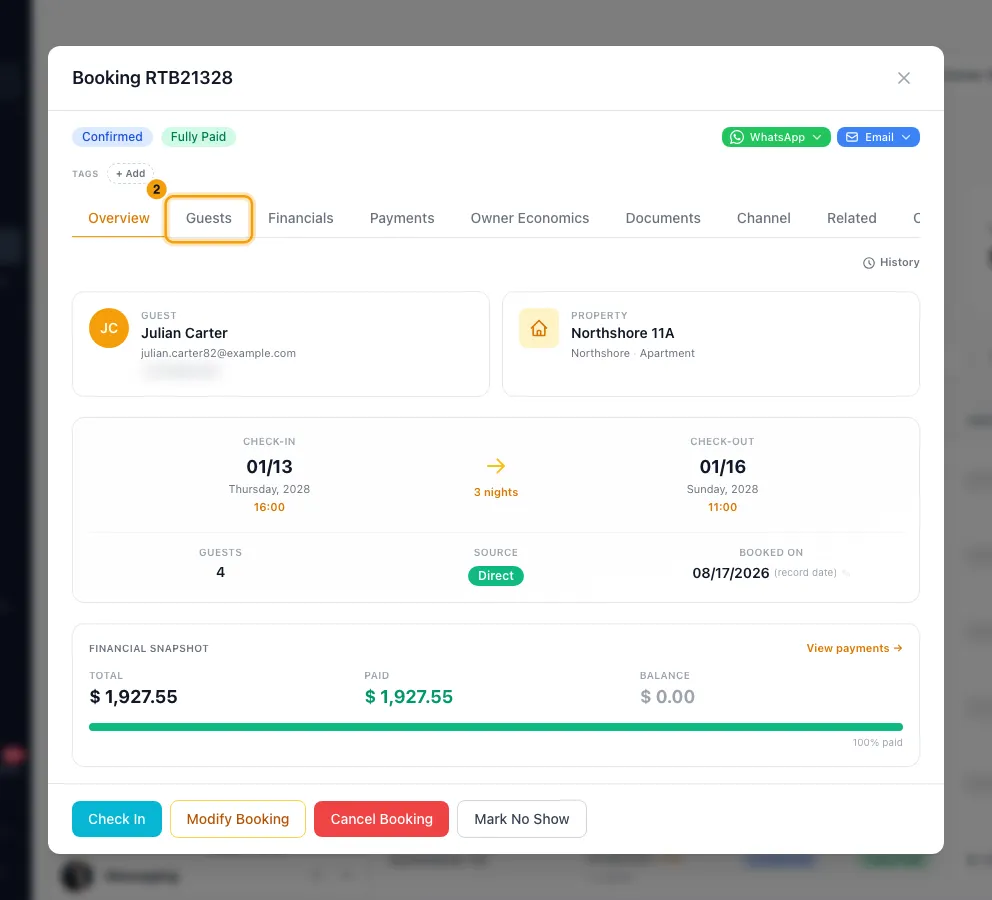
Go to Bookings, open the booking and go to the Guests tab.
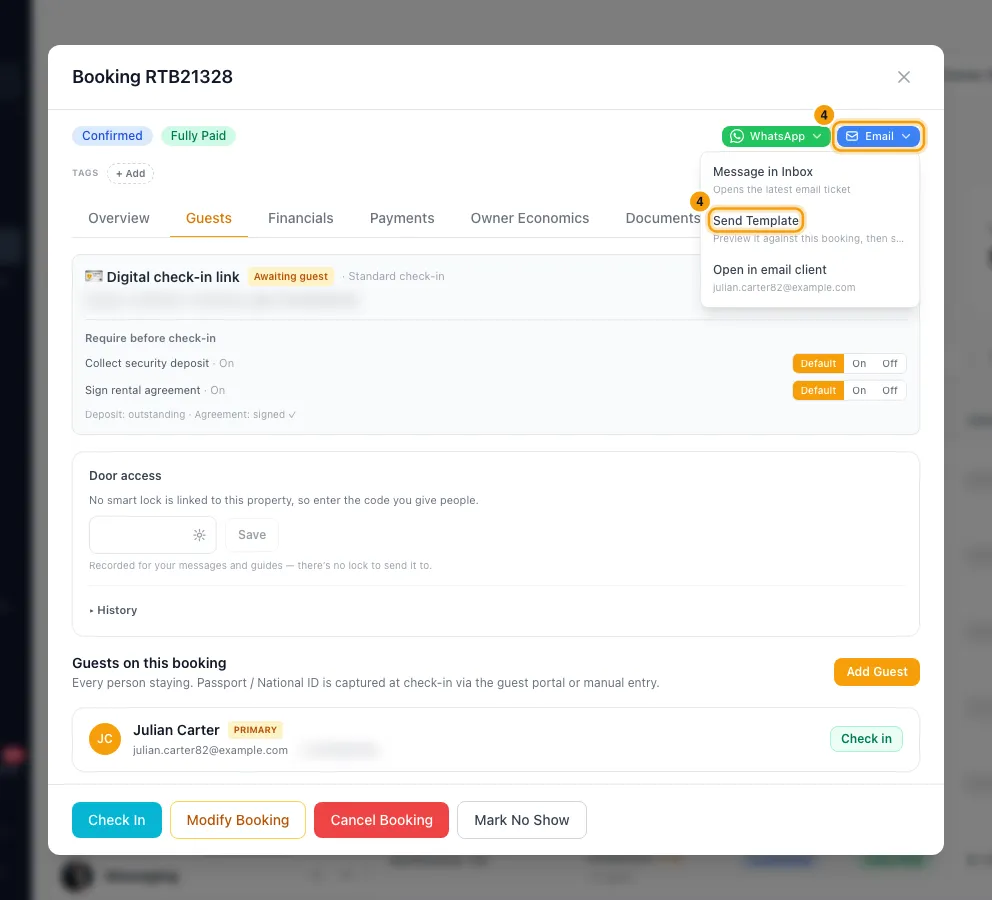
In the Digital check-in link box, click Copy link and paste it into your message to the guest.
To send it as a template instead, click Email in the booking's top row → Send Template. Pick a template that includes the Digital Check-in Link field, check the preview and click Send. On a channel booking, use the channel's button (such as Airbnb) → Send Template to send it in the channel conversation.
To send it automatically, add the Digital Check-in Link field to a template (Settings → Templates) or to a rule (Settings → Notifications).
Check-in instructions themselves live on the property: Properties → open the property → Listing Content → Guest Instructions → Check-in Instructions → Edit → Save.
Good to know
- Which form applies: an Active form that isn't archived applies if it is the Default form, or if the booking matches its properties and sources. When several apply, the most specific one is used.
- The box shows Awaiting guest until the guest submits the form, then Completed.
- When the guest submits the form (from the link or the guest portal), your team gets the Hub alert Guest completed digital check-in (in-app, push and email; by default to the Admin, Manager and Agent roles). Change it under Settings → Notifications → Hub. A check-in you fill in yourself for a guest does not send it.
- Rotate creates a new link, and the old link stops working. A completed check-in goes back to Awaiting guest, so use it if the guest needs to check in again.
- The link stops working 2 days after check-out.
- If the form has Verify identity (OTP) on, the guest must enter a one-time code before the form opens.
- If the guest completed the form without a required upload, the box lists what is missing.
- Require before check-in: when the form collects a security deposit or a signed rental agreement, you can switch Collect security deposit or Sign rental agreement on or off for this one booking.
- If the form needs a deposit or agreement that isn't on the booking, the box warns that guest check-in is blocked. Add the deposit from Payments → + Add Security Deposit, or generate the agreement from Documents → Generate agreement, or switch the requirement off for this booking.
- The guest completing the form doesn't mark the booking Checked In. For that, see "Check a guest in or out".
- The Digital Check-in Link field stays empty in messages when you have no active form (archived forms don't count).
- A link you already sent keeps opening even if you later archive its form.
- Seeing and copying the link needs View on Bookings. Rotate and the Require before check-in switches need Edit on Bookings.
Rentibly AI can help
- It can set up a rule that sends the link before arrival and update a property's check-in instructions.
Still stuck?
Open Support from your profile menu in Rentibly, or email hello@rentibly.com — we answer fast.