Accept or decline a request to book
Updated 13 October 2026
When a channel such as Airbnb or Booking.com sends a request to book, you have 24 hours to accept or decline it. If nobody answers in time, the request expires.
Steps
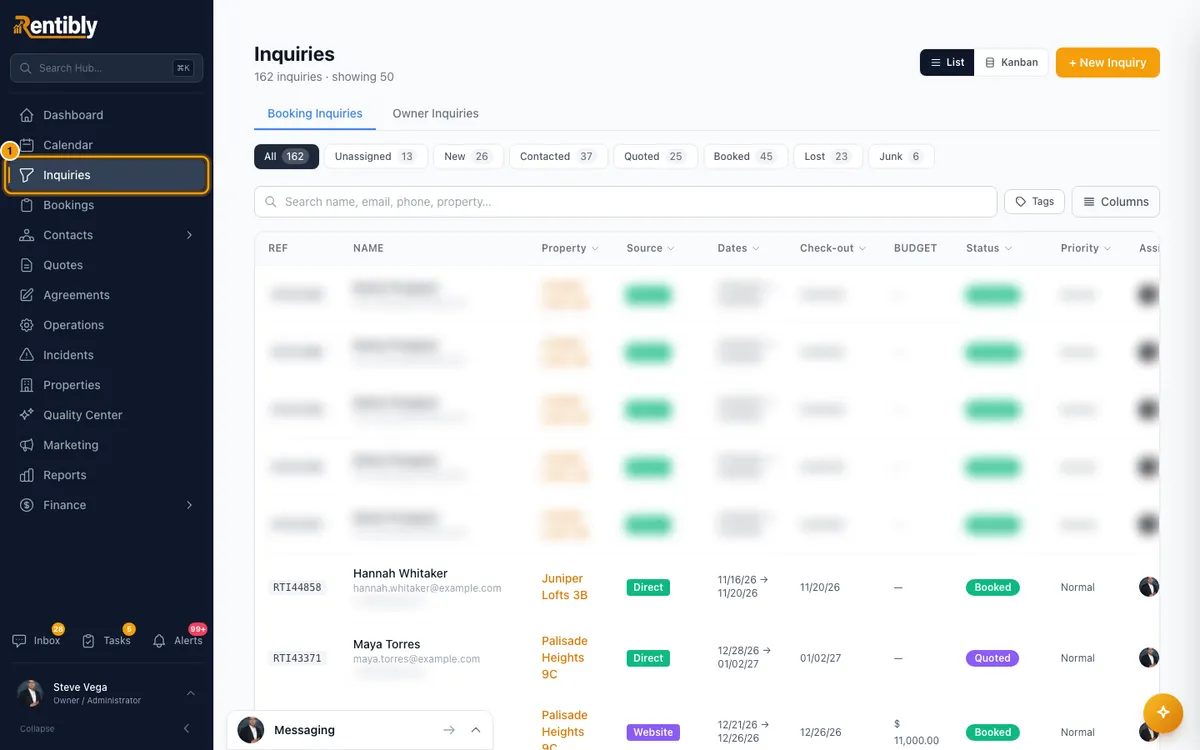
Open Inquiries. When requests are waiting, a banner says how many are awaiting your response. Click Show them (or Show it) to list only those. Click Clear filter to see everything again.
Click the request. The Request to book card at the top shows the channel, the time left, the stay, the guests and the amount Offered, with the full breakdown when it adds up.
To accept: click Accept request, then Accept request again in the confirmation.
To decline: click Decline. Pick a reason under Why are you declining?, add an optional message for the guest, then click Decline request.
Good to know
- A request arrives as an urgent booking inquiry. Who it is assigned to is decided by Settings → Users & Access → Inquiry Routing.
- Time limit: 24 hours from when the channel sent the request. The time left shows on the card and on the list. It turns red in the last 6 hours.
- Notifications: your team is alerted when a request arrives (Request to book received), about 6 hours before it runs out (Request to book expiring soon), when it expires (Request to book expired) and when the guest withdraws it or doesn't complete one you accepted (Request to book withdrawn).
- After you accept:
- Airbnb and the other channels confirm straight away.
- Booking.com invites the guest to finish booking within 24 hours.
- The card shows Accepted — awaiting channel confirmation, and the inquiry moves to Quoted. When the channel confirms, the booking is created automatically, the inquiry moves to Booked, the card shows Booked and View booking → opens it.
- If a Booking.com guest doesn't complete the booking, the request closes for you. This happens when they withdraw it, when Booking.com cancels it, or when no booking has arrived about 25 hours after you accepted (the guest's 24 hours plus an hour's margin). The inquiry is marked Lost, the card shows Accepted — guest did not complete the booking, the held dates re-open, and your team gets Request to book withdrawn. If the booking turns up after all, it is still created and the card changes to Booked.
- Decline reasons depend on the channel:
- Every channel: Dates not available, Not a good fit, Not comfortable with this request.
- Airbnb also has Waiting for a better reservation.
- Booking.com also has Guest details incomplete and Check-in outside allowed hours.
- Declining, or letting the request expire, marks the inquiry Lost. A declined request's lost reason reads "Request to book declined:" and the reason you picked. A request the guest withdrew is also closed for you, and its card shows Withdrawn by guest.
- Each of these losses (declined, expired, withdrawn, or accepted and never completed) also runs your Inquiry lost notification rules, once.
- If the property has no active channel connection, accepting or declining fails with "No active channel connection for this property, so the request cannot be answered from here".
- The dates are held while you decide. A request puts a quote hold on the calendar, which also closes those dates on your other channels. If the guest withdraws or you decline, the hold is released straight away and the dates re-open on your channels. If the request expires, an hourly check releases the hold within the hour. After you accept, the hold stays while the channel confirms the booking. On Booking.com it is released when the request closes as not completed (see above). On Airbnb and the other channels, accepting confirms the booking straight away; if no booking arrives, the daily quote clean-up releases the hold the day after the request's deadline. To free the dates yourself, right-click the hold on the Calendar and choose Release hold.
- You can't accept a request that has already expired or been answered.
- If the guest's channel conversation is in your Inbox, it shows a Channel request card. Accept request there does the same as on the inquiry. To decline, click Decline with a reason →, which opens the inquiry.
- Request inquiries arrive marked Urgent and can't be deleted, because the channel owns them.
- Whether guests can request instead of booking instantly is set in Settings → Airbnb or Booking.com setup → Account settings → How can guests book?. The choice applies to both channels.
- Accepting and declining need Edit on Inquiries.
Rentibly AI can help
- It can find request inquiries and show their details.
- It can't accept or decline a request. Do that on the card.
Still stuck?
Open Support from your profile menu in Rentibly, or email hello@rentibly.com — we answer fast.