Take, hold and return a security deposit
Updated 13 October 2026
A security deposit is money you hold against damage and give back after the stay. You can charge it and refund it later, or place a hold on the guest's card that is only charged if you need it.
Steps
Set a deposit for a property (optional)
Go to Properties, open the property, then go to Configurations → Fees & Discounts.
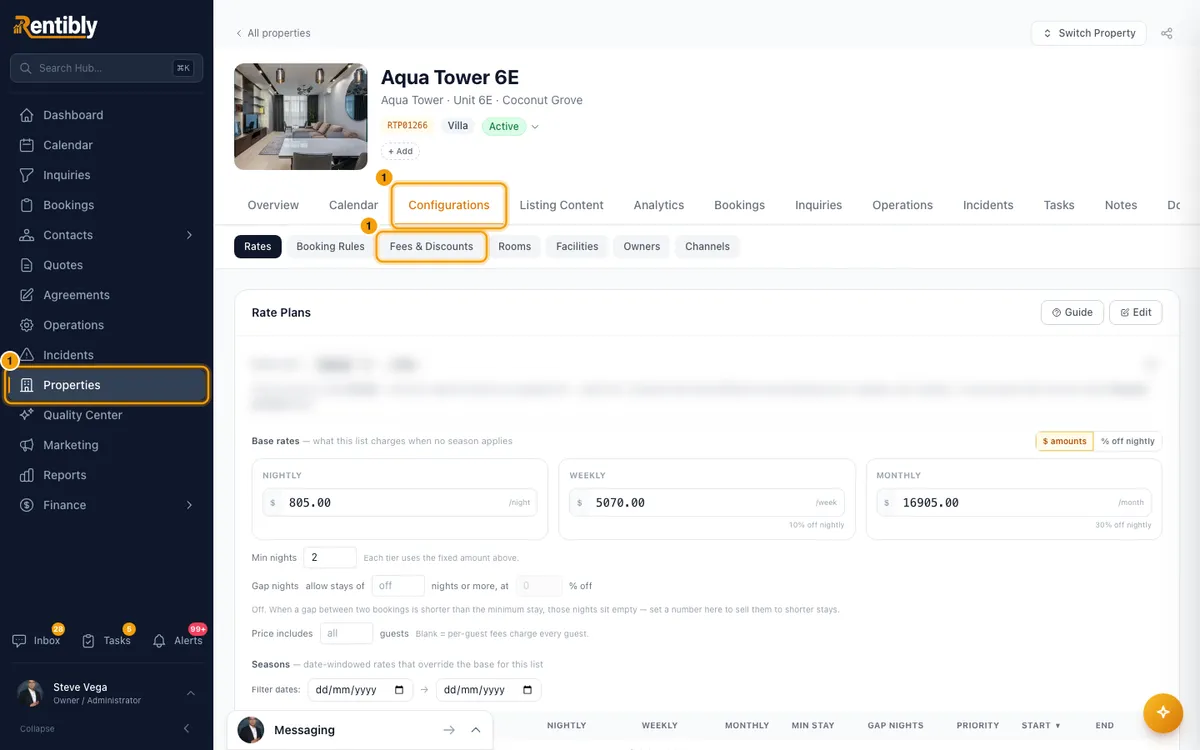
In the Security Deposit card, tick Enable security deposit on this property.
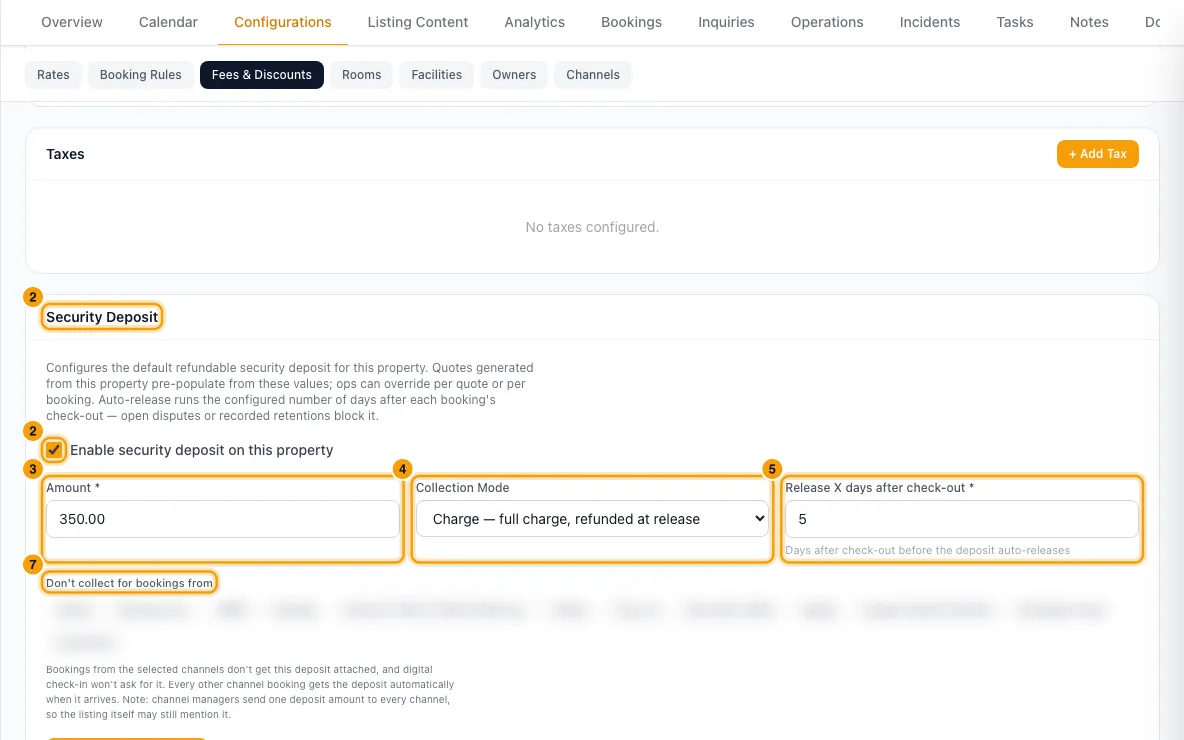
Enter the Amount.
Choose the Collection Mode: Charge — full charge, refunded at release or Hold — pre-authorize the card, no charge.
Enter Release X days after check-out.
For a hold, tick Renew the card hold automatically before it expires if you need to hold it longer than about a week.
Under Don't collect for bookings from, click any channel that shouldn't get the deposit.
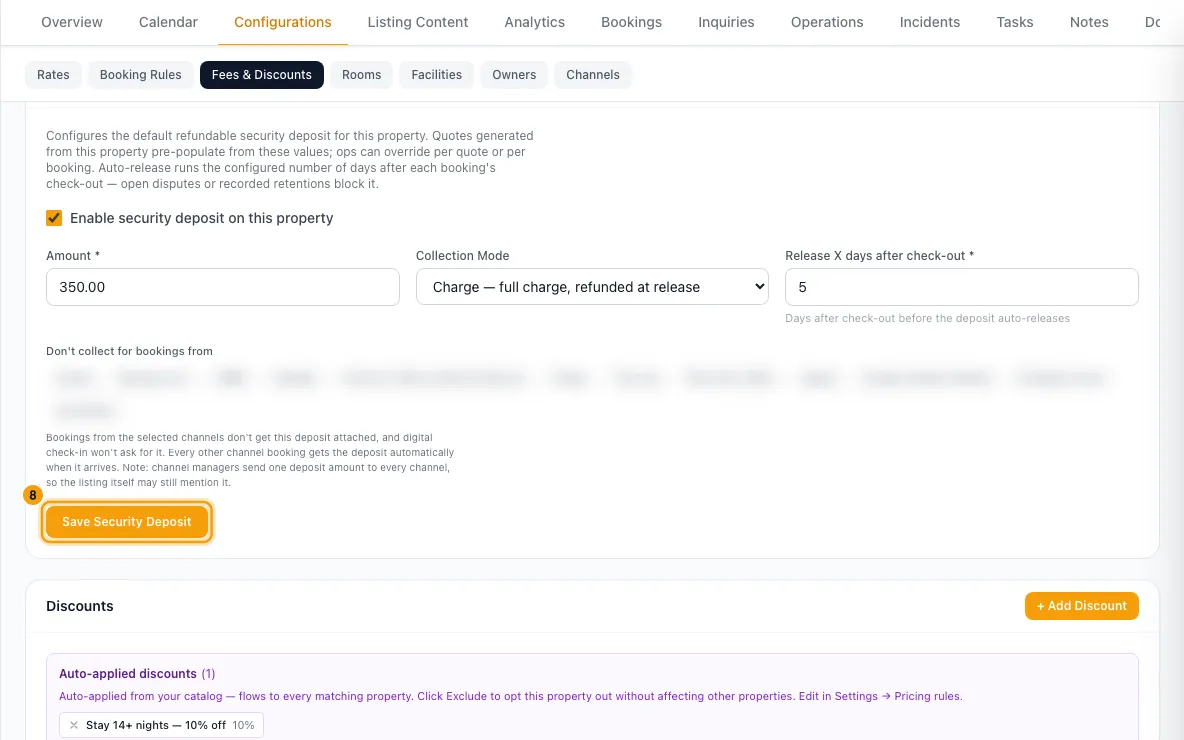
Click Save Security Deposit.
Add a deposit to a booking
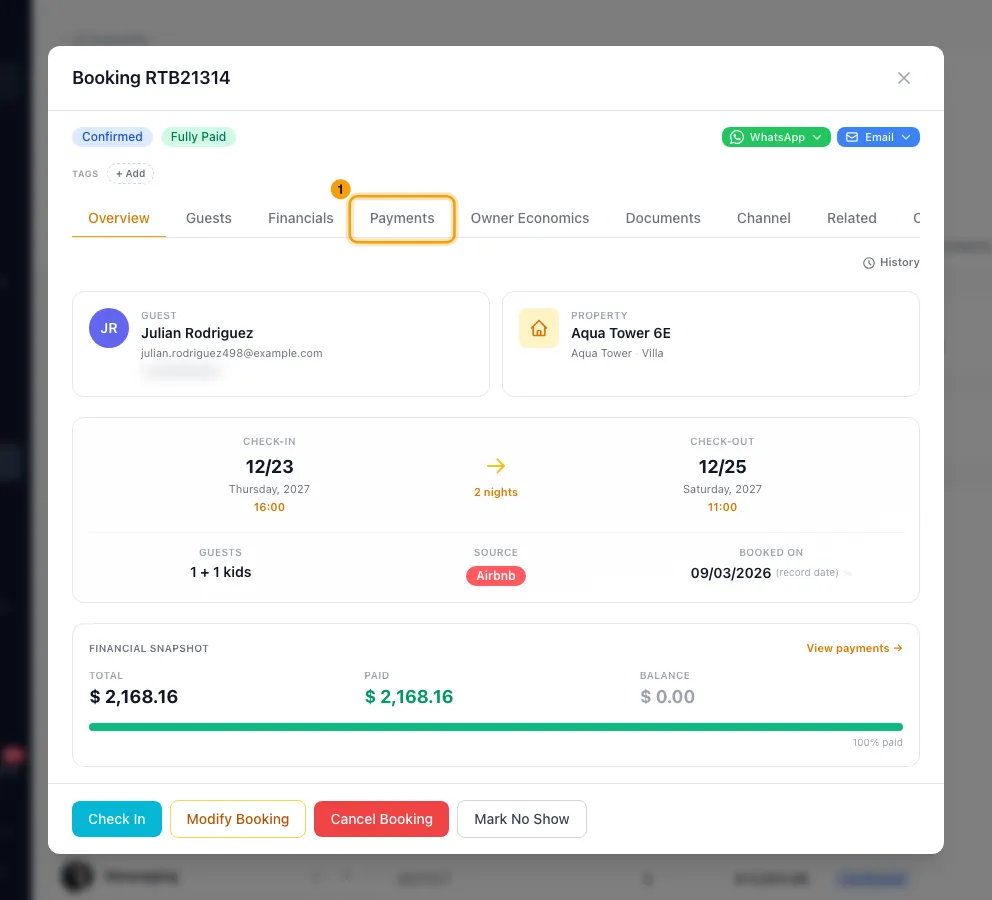
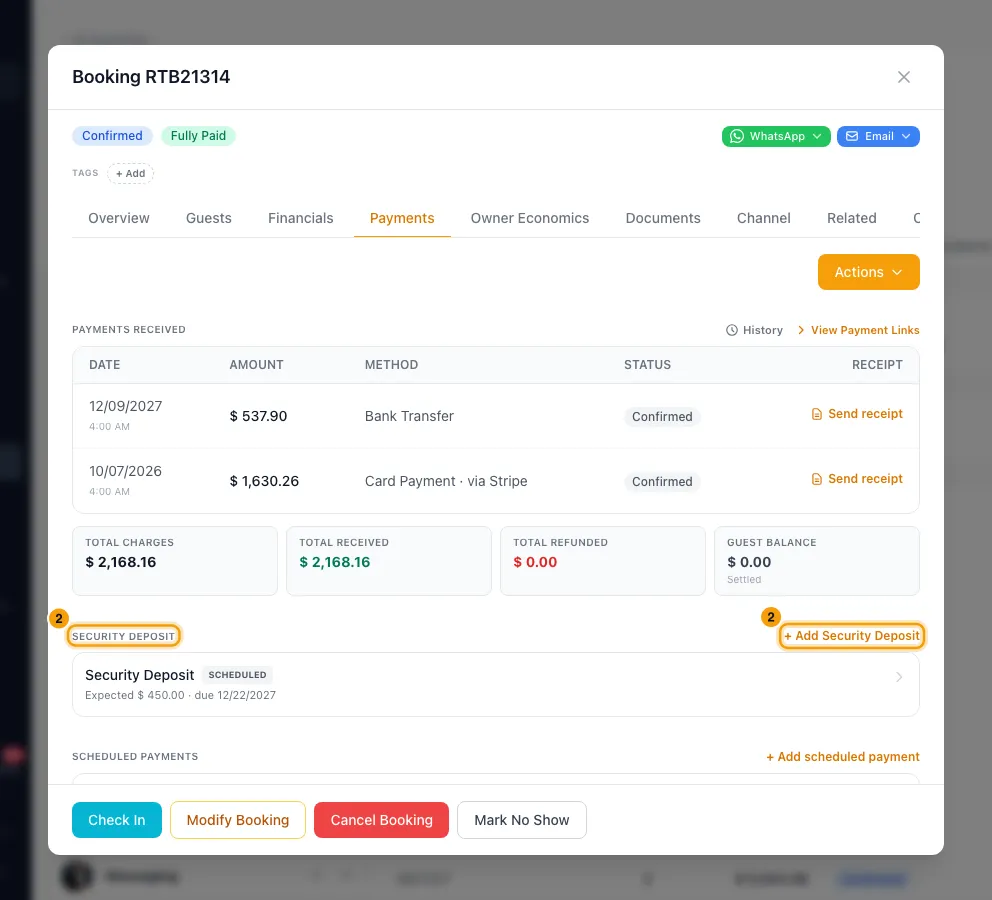
Go to Bookings, open the booking and go to the Payments tab.
Under Security Deposit, click + Add Security Deposit. It fills in the property's settings if it has them.
Check the Description and Amount, and pick a Due date (when scheduled) if you like.
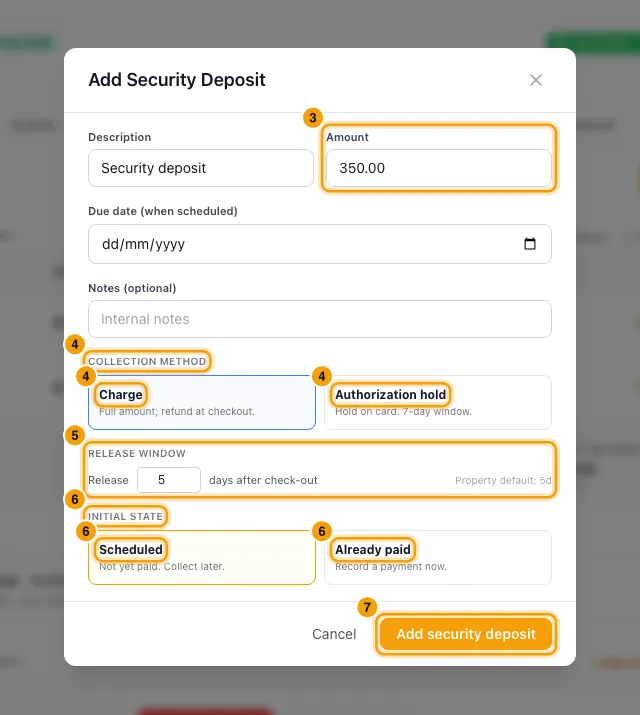
Under Collection method, choose Charge or Authorization hold.
Under Release window, enter how many days after check-out to give it back.
Under Initial state, choose Scheduled (not paid yet) or Already paid. For Already paid, pick the Method and add a Reference if you like.
Click Add security deposit.
Collect it
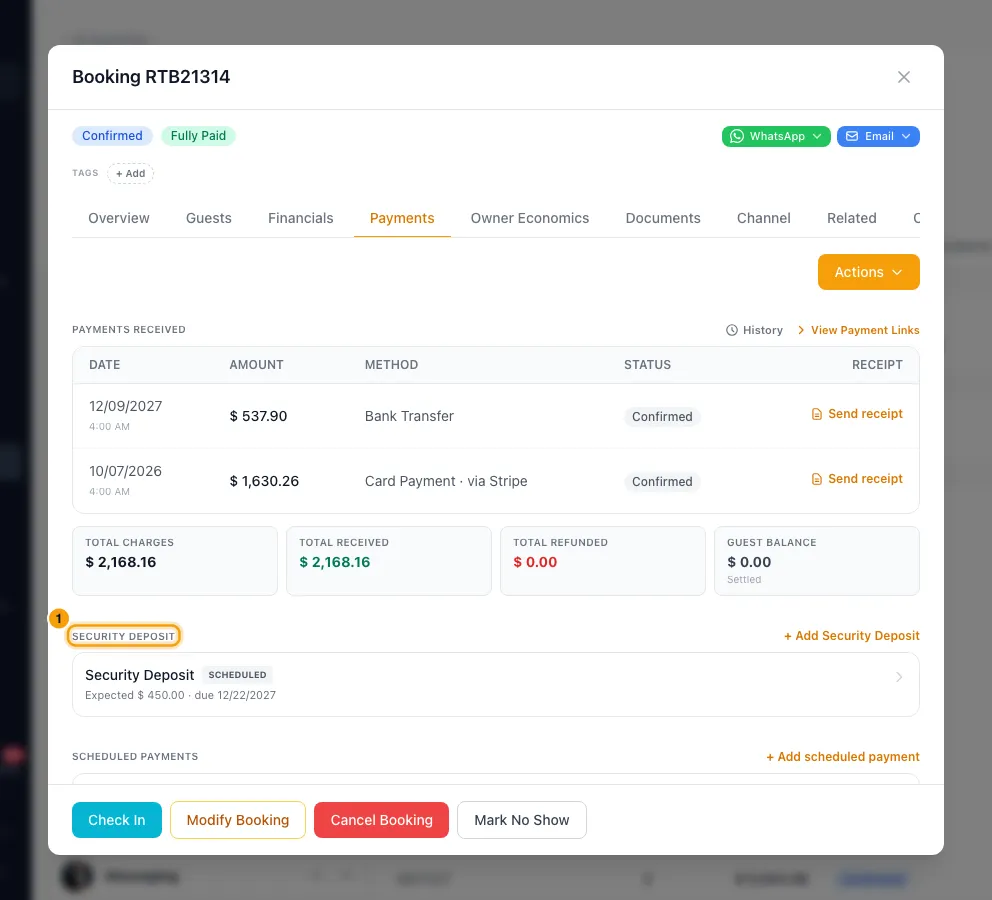
Click the deposit under Security Deposit.
Choose one:
- Copy payment link: copies a link for the guest to pay. For an Authorization hold deposit, paying this link places the hold.
- Notify guest: opens an email to the guest in your own email app, with the link in it.
- Collect Now (Run Card): takes the deposit from a card now: the guest's saved card, or one you type in with + Add Card. On a Charge deposit it charges the card. On an Authorization hold deposit it places the hold instead, and the button reads Place hold of and the amount.
- Mark Paid: records money you received another way. Fill in the form, then click Record deposit payment.
Use or release a hold
Click the deposit. While a hold is live it shows Held.
Click Capture hold to charge the held amount (for example for damage), then Capture.
Or click Release hold to let it go, then Release. Nothing is charged.
Give a charged deposit back
Click the deposit, then Return deposit.
Choose Full return, or Partial return to keep part of it.
For Partial return, enter the Amount to retain, pick a Reason and write an Explanation.
Leave Notify the guest ticked to email the guest, or untick it.
Click Return and the amount (or Confirm return).
Good to know
- Charge takes the full amount from the guest and refunds it when released. Authorization hold only reserves it on the guest's card.
- On an Authorization hold deposit, both the payment link and Collect Now (Run Card) place a hold. Nothing is charged until you click Capture hold. While a hold is live, Collect Now (Run Card) is hidden and a second hold is refused.
- Card holds expire after about 7 days. With hold renewal on, Rentibly places a new hold on the guest's saved card about a day before the old one expires, then cancels the old one. The guest may briefly see both. If a renewal fails, your team is alerted. You can change this per deposit under Hold renewal.
- A property can't use Hold with a release window over 7 days unless hold renewal is on.
- Auto release: each day Rentibly gives back deposits whose release date has come: a charged deposit is refunded to the card, a hold is released. The day before, your team gets a reminder. Click Auto release / Manual release in the deposit to switch, or Push date to change the date.
- Auto release skips a booking with an open payment dispute, or where part of a deposit was already kept.
- With Already paid, if the payment can't be recorded, the deposit is still added (unpaid) and an error tells you so. Open it and use Mark Paid to record the payment. Don't add the deposit again.
- A deposit paid by cash, bank transfer, cheque or credit can only be released by hand, because Rentibly can't send that money back. Use Return deposit and pay the guest yourself.
- Return deposit and auto release give back from each deposit payment only what is still refundable on it, newest payment first. A payment already refunded is skipped.
- Partial return adds the kept amount to the booking as a new charge, with your reason and explanation. It shows under Payments received too.
- Return deposit records the release date and who released it, for a full or a partial return. The deposit then leaves Deposits Due for Release on the dashboard.
- If the card refund doesn't go through, the dialog stays open and shows the error. The deposit stays Held, no release date is recorded and the guest gets no email. Click Return deposit again to retry.
- The guest gets one email: Guest — deposit released for a full return, or Guest — deposit partially retained for a partial one, if that rule is on. Auto release also sends Guest — deposit released.
- Release hold records the release date and who released it, and sends the guest Guest — deposit released if that rule is on. Releasing a hold from the cancel window does the same.
- Mark Paid sends the guest their payment receipt if the Guest — payment receipt rule is on. The Guest — deposit received rule is off to start with, to avoid two emails.
- Mark Paid can also Attach a payment already recorded on the booking, instead of recording a new one.
- A deposit can only be deleted while nothing has been paid or held on it.
- When a booking is cancelled, deposits with nothing paid or held are removed. Paid or held ones stay, so you can decide what to return.
- The deposit is kept apart from the booking balance. Refund Payment with a custom amount leaves deposits out: use Return deposit here.
- Channel bookings get the property's deposit automatically when they arrive, except from channels you excluded. Digital check-in can also ask for it: see Send the guest their digital check-in link and instructions.
- You need the Bookings permission at Edit. Changing a property's deposit settings needs Properties at Edit.
Rentibly AI can help
- Rentibly AI can list security deposits waiting for a refund decision.
- It can't add, collect, release or return a deposit.
Still stuck?
Open Support from your profile menu in Rentibly, or email hello@rentibly.com — we answer fast.