Check whether a notification was sent (Notification Log)
Updated 13 October 2026
The Log lists every email, WhatsApp and push notification your account has sent, whether it went through, and the message exactly as it was sent. Use it when a guest says they didn't get an email, to resend one, or to find out why a rule stopped sending.
Steps
Click your name at the bottom of the sidebar, then Settings. Under Communication, open Notifications and choose the Log tab.
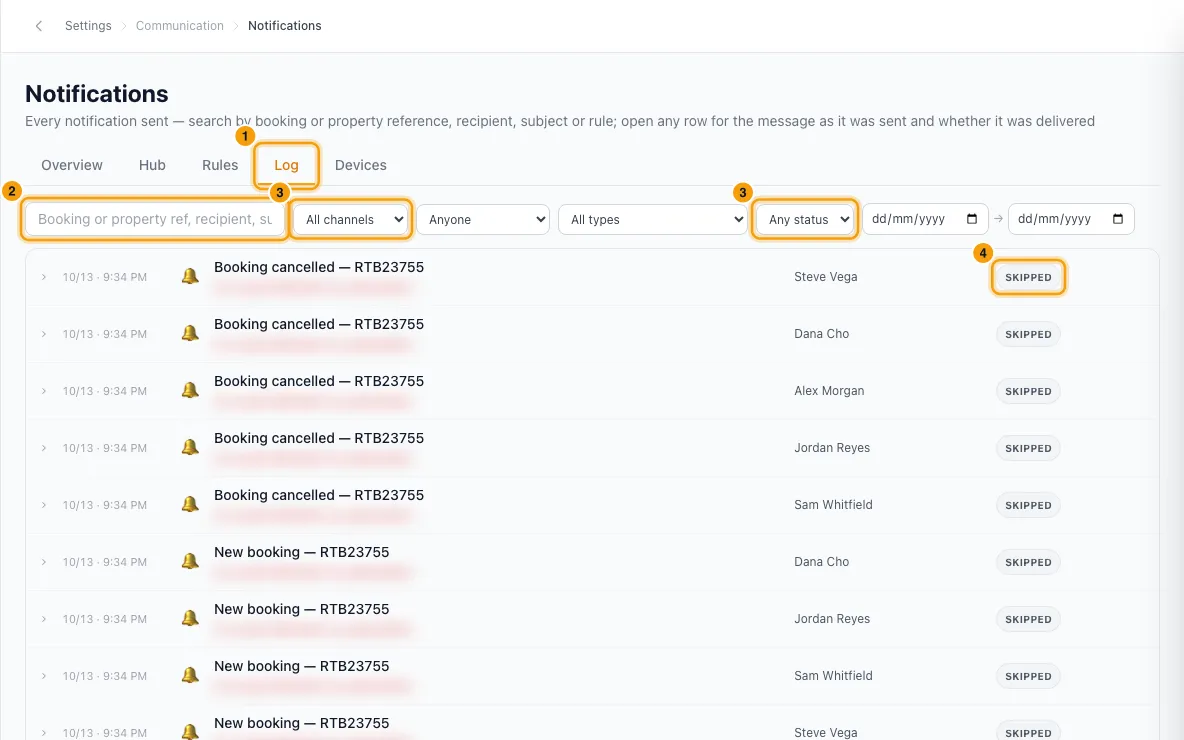
Type in the search box: a booking or property reference, the recipient's email or phone, the subject or the rule name. A property reference finds everything sent about that property's bookings.
Narrow the list with the filters: All channels, Anyone (or Guests & owners, or My team), All types, Any status (Sent, Failed, Pending, Scheduled) and the from and to dates. Click Clear to reset them.
Read the status on each row. Hover over it to see what it means:
- Sent: the mail provider accepted it. Confirmation that it arrived hasn't come back yet.
- Delivered: the recipient's mail server accepted it.
- Opened: the recipient opened it.
- Bounced: the recipient's mail server rejected it. It did not arrive.
- Marked spam: the recipient marked it as spam.
- Failed: it could not be sent. The reason shows in red under the subject.
Click a row to open it. You see From, To, Audience, Subject, Rule, Template, Booking and Property, the Delivery timeline and the Message as it was sent.
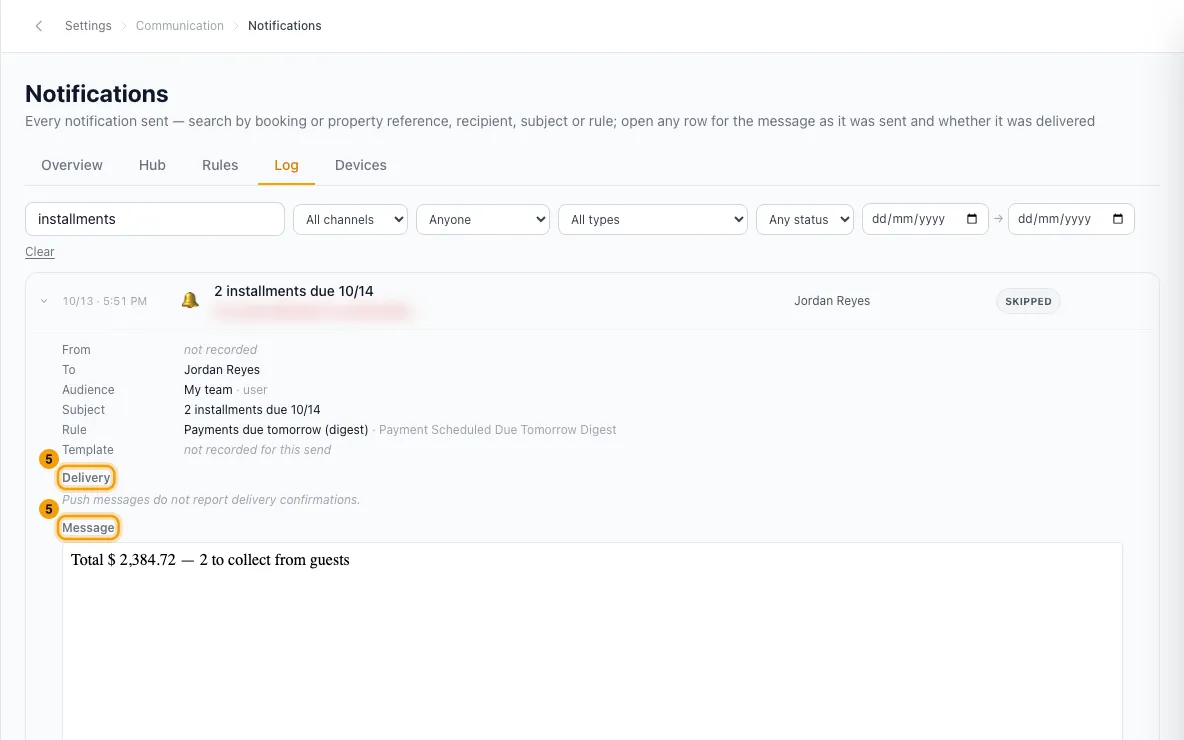
To send an email or WhatsApp again to the same person, click Resend on its row.
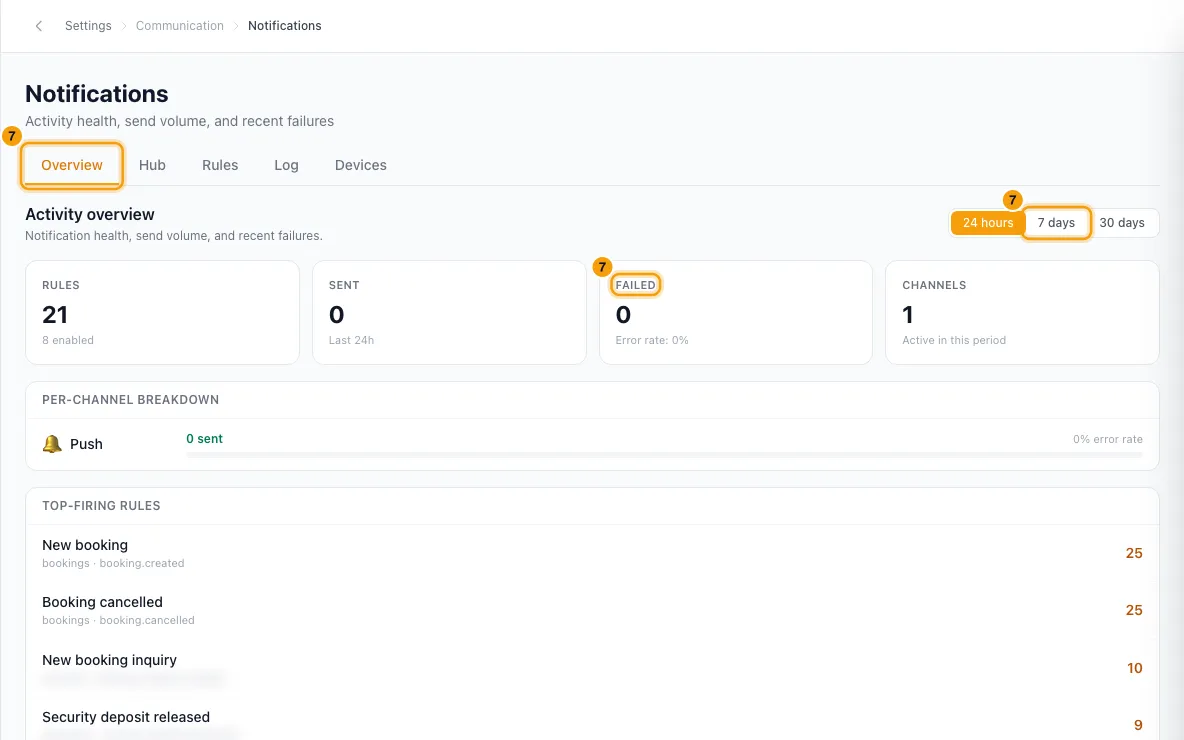
To check failures over time, open the Overview tab. Pick 24 hours, 7 days or 30 days and read Failed and Recent failures.
Fix a rule that stopped sending
- Open the Rules tab. A rule switched off by the system shows Auto-disabled. Hover over the badge to see why.
- Click the Delivery log icon on the rule to see its last 100 sends and their errors.
- Fix the cause, for example the template or the recipients, with Edit rule.
- Click Re-enable, then Re-enable again to confirm. This clears its failure count and switches it back on.
Good to know
- Resend goes to the original recipient right away. An email is sent again exactly as it was. A WhatsApp is rebuilt from the rule's current template, so it fails if the rule was deleted or the template is no longer approved. Push and in-app alerts can't be resent.
- To resend to a different address, open the booking, go to its Notifications tab, click Resend on the message, change the address and click Resend now.
- Email and WhatsApp are retried up to 5 times over about 2.5 hours before they show as Failed.
- Quotes you send from a quote (Share Quote → Send via Email or Send via WhatsApp) are listed too, as Quote sent — Send via Email (or WhatsApp). These go once, straight away, and are not retried: if one fails, the quote shows why and stays unsent.
- Sent but never Delivered or Opened is common. Many mail apps block open tracking, and emails sent through your own mail server report nothing back. WhatsApp and push never report delivery.
- Push rows show one line per team member, with the person's name in the To column. A push marked skipped means none of that person's devices could take it: they have no push device turned on for the Hub, or they switched that kind of push off. See "Get push notifications on your phone or browser".
- In-app alerts are not in the Log, so its channel filter offers only Email, WhatsApp and Push. In-app alerts are in each person's bell, and a booking's own Notifications tab lists them too.
- Auto-disabled: a rule is switched off after 50 fires in a row where every send failed. One bad address among several recipients doesn't count. Re-enabling counts toward your limit of 75 active rules.
- All types only lists events your account has actually sent.
- The Log keeps 180 days of history.
- You need the Settings permission to see the Log and resend.
Rentibly AI can help
- Ask "why is my check-in email not going out?" and it reads your rules, including any that failed or were switched off.
- Once the cause is fixed, it can switch a failing rule back on and clear its failure count. It asks you to confirm first.
- It can't search the Log or resend a message yet.
Still stuck?
Open Support from your profile menu in Rentibly, or email hello@rentibly.com — we answer fast.